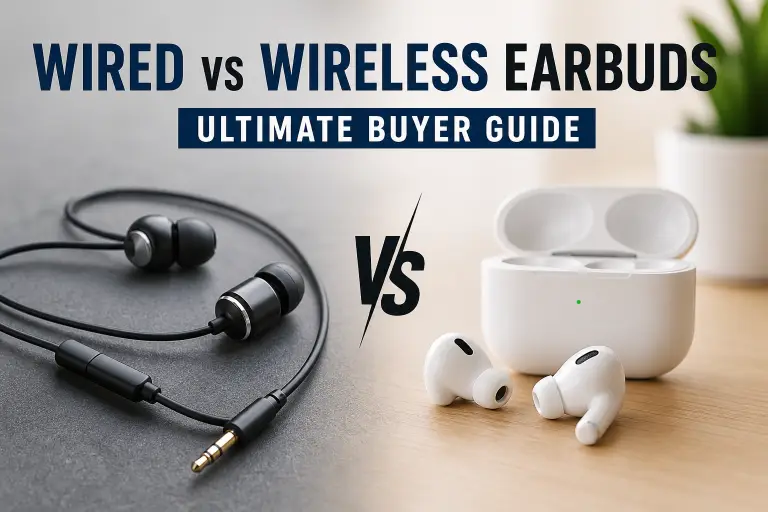
Choose wired earbuds when avoiding earbud charging and Bluetooth pairing matters most. Choose wireless earbuds when cable-free movement and features such as active noise cancellation (ANC) fit your daily use. Sound quality, microphone performance and comfort depend on the specific model; neither connection type guarantees a better result.
Before comparing products, check your phone or computer’s audio connection. A pair that needs an incompatible adapter, an unsupported codec or an unavailable app can be the wrong purchase even when its headline specifications look appealing.
Research basis: this comparison uses official Apple, Android, Sony and Sonos documentation checked on October 7, 2026. Recommendations are buying considerations, not results from hands-on sound, microphone, battery or latency tests.
Wired vs wireless earbuds at a glance
| Buying consideration | Wired earbuds | Wireless earbuds |
|---|---|---|
| Connection | Compatible 3.5 mm, USB-C or other audio connector | Supported Bluetooth connection; some gaming models use a dongle |
| Power | Basic passive models need no separate charging | Earbuds and charging case need recharging |
| Gaming delay | A useful starting point for avoiding Bluetooth delay; not zero system latency | Check the exact mode, source device and game compatibility |
| Sound | Depends on fit, tuning, source and audio hardware | Depends on fit, tuning, codec support and connection conditions |
| Movement | Cable may snag or pull | No cable to the phone, but fit and loss risk matter |
| Ongoing costs | Adapter or replacement cable may be needed | Check battery service and replacement earbud/case options |
1. Check device compatibility before sound claims
For wired earbuds, match the connector to your device. A phone without a headphone jack needs compatible USB audio earbuds or a suitable adapter for a 3.5 mm pair. Check that the adapter supports your device, microphone and inline controls. A USB-C plug alone does not establish all of those functions. Using the phone’s only USB-C port for audio may also affect how you charge it during listening.
For wireless earbuds, verify basic pairing, call support, app availability and any features restricted to particular phones. Multipoint, automatic switching and spatial audio are separate features; confirm which devices and software versions support them.
Sony’s Bluetooth compatibility guidance explains that supported profiles and codecs matter, and that matching specifications do not guarantee every device combination. Use the manual for your exact candidate rather than treating the Bluetooth version number as a complete compatibility check.
2. Sound quality: avoid choosing by cable alone
A wired connection avoids Bluetooth audio encoding, but it does not make every recording lossless or every earbud sound better. The source file, playback settings, digital-to-analog converter, earbud tuning and fit still matter. A poor seal can also change the bass you hear.
Common Bluetooth modes such as SBC and AAC use lossy encoding. Higher-quality or lossless wireless modes require support from both ends of the connection and may have additional conditions. Apple’s lossless audio guide explains the limitations of its AAC Bluetooth path and the requirements for wired playback. Sonos documents a supported lossless Bluetooth setup for compatible Android devices, illustrating why “all Bluetooth is always lossy” is too broad.
For a purchase, compare the exact models’ tuning, tip options and return policy. A codec logo or large driver diameter is not a sound-quality score. If you cannot try the earbuds, look for clearly identified model-specific listening assessments rather than category-wide claims.
3. Gaming: lower delay is not zero delay
Wired earbuds are a reasonable starting point when you want to avoid Bluetooth transport delay. However, the game, operating system, audio buffers and any USB processing can still add latency. Android’s audio latency documentation describes latency across the audio system; plugging in a cable does not remove every contributor.
For wireless gaming, check the supported low-latency mode and whether your phone, console or computer can use it. Sony’s compatibility guidance notes that supported LC3 connections can provide low latency when both devices support the required technology. Some gaming earbuds use a separate wireless dongle; verify platform support and available ports before buying.
Treat a manufacturer’s latency figure as a claim for its stated setup. Check whether it includes the full audio path and whether microphone use changes the mode. A “gaming mode” label alone does not establish performance in your game.
4. Calls and noise cancellation need separate checks
ANC reduces noise for the listener. It does not by itself prove that the microphone will make your voice clear to someone else. Compare call performance in the conditions you care about, such as a quiet office, traffic or wind.
- Wired calls: check that a microphone is included, the adapter supports it and inline controls work with your device.
- Wireless calls: check microphone support in your meeting app, single-earbud use and switching between phone and computer.
- Commuting: compare ANC, passive isolation and transparency features for the exact model. Wireless earbuds do not all include ANC.
5. Battery figures: separate one session from case totals
Basic passive wired earbuds draw power from the connected device and need no earbud recharging. Powered features or an active design may have different requirements, so check the product rather than assuming every wired model works the same way.
For wireless earbuds, compare uninterrupted listening time with the total that includes case recharges. A case total of 30 hours, for example, does not mean 30 hours without putting the earbuds back in the case. Check ANC settings, volume, codec and whether the figure covers music or calls.
Apple’s AirPods comparison separates listening time from case-assisted totals and explains that battery life depends on settings, environment and use. Compare manufacturers’ conditions before ranking two models. Choose enough single-session runtime for your longest regular journey or meeting, with room for variation.
6. Fit, durability and total cost
Both wired and wireless earbuds can fit poorly. Compare tip sizes, earbud shape, weight and any stabilizing fins or hooks. A cable can pull on wired earbuds; a loose wireless earbud can be lost. Check the seller’s return rules before relying on being able to try them.
For exercise, verify the exact model’s sweat or water-resistance rating, including whether it applies to the case. Apple’s AirPods resistance guidance distinguishes water resistance from waterproofing and notes that resistance can decrease over time. Apply your own product’s care instructions rather than transferring another model’s rating.
There is no fixed two- or three-year lifespan for all wireless earbuds. Compare battery service, warranty and replacement case or earbud availability. For wired models, check strain relief, detachable-cable options and adapter costs. Compare the total cost of a usable setup rather than assuming either category is always cheaper.
Which should you buy?
- Choose basic wired earbuds if you want a pair without a separate charging routine and have a compatible audio connection. They are also worth considering for delay-sensitive use.
- Choose wireless earbuds if removing the cable helps during movement and you are willing to manage pairing and charging. Verify the features you actually need.
- For sound or calls first, compare models rather than choosing a connection category. Fit, tuning and microphone performance need their own evaluation.
Before ordering: five checks
- Confirm your exact phone, computer or console connection and any adapter costs.
- Check microphone, controls, app and codec support for that device.
- Compare single-session battery life separately from charging-case totals.
- Verify fit options, resistance rating, warranty and return policy.
- For gaming, check the supported connection mode and platform rather than accepting a zero-latency claim.