Introduction
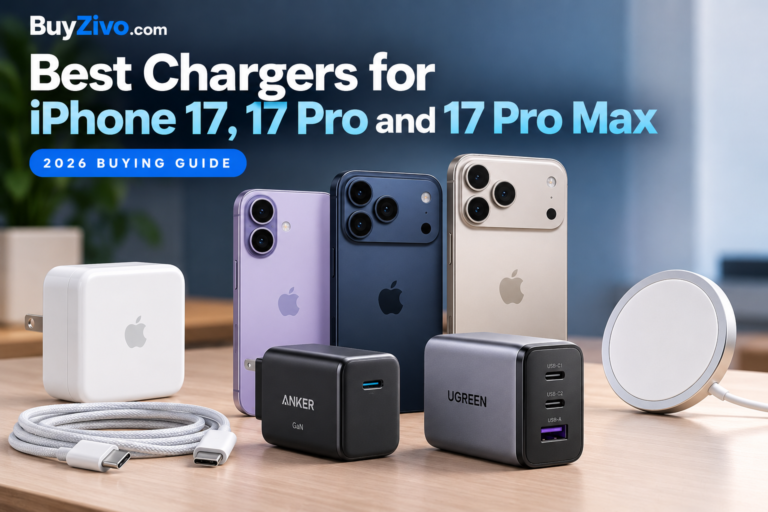
If you’re looking for the Best Chargers for iPhone 17, iPhone 17 Pro, or iPhone 17 Pro Max, a reliable USB-C charger with at least 40W of power and the right USB Power Delivery support is a good place to start.
Apple’s 40W Dynamic Power Adapter (60W Max) is a solid choice if you want fast, dependable wired charging. But you don’t have to stick with Apple’s charger. A good 45W or 65W charger from a trusted third-party brand can work just as well, especially if you also need to charge an iPad, MacBook, or other USB-C devices.
According to Apple, all three iPhone 17 models can reach around 50% battery in just 20 minutes under the recommended charging conditions. However, don’t assume every 40W or 45W charger will deliver the same speed. Actual charging performance depends on several factors, including the charger’s compatibility, battery level, temperature, and whether you’re charging multiple devices at once.
How much charging power does the iPhone 17 need?
Charging method What to know 20W USB-C Suitable for everyday charging, but below Apple’s 40W fast-charge recommendation 30W USB-C A practical existing charger; also suitable for powering compatible MagSafe charging 40W+ USB-C Apple’s stated adapter power level for its approximately 20-minute, 50% wired-charge claim 65W USB-C Useful for charging a phone plus other devices, depending on port allocation MagSafe / Qi2 Up to 25W wireless charging with appropriate equipment Charging capabilities are based on Apple‘s published specifications; actual results depend on the complete charging setup.
The important distinction is between the maximum power printed on an adapter and the power your phone actually receives.
USB-C Power Delivery allows a compatible phone and adapter to negotiate a supported charging mode. A 65W charger does not continuously force 65W into your iPhone.
For the iPhone 17 series, Apple’s recommended third-party adapter specifications also include particular voltage/current combinations and Adjustable Voltage Supply (AVS) configurations. Buyers who care about matching Apple’s fastest charging conditions should examine the adapter’s actual output specifications rather than relying on wattage alone.
Best charger choices for iPhone 17
1. Apple 40W Dynamic Power Adapter with 60W Max — Best overall for Apple-specified fast charging
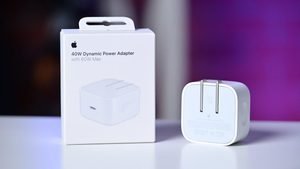
Apple’s 40W Dynamic Power Adapter with 60W Max is the most straightforward recommendation for buyers who want a charger specifically referenced in Apple’s iPhone 17 fast-charging documentation.
Its defining feature is dynamic power delivery rather than simply a large advertised maximum wattage. Apple used this adapter in its published iPhone 17 charging tests.
Pros
- Directly referenced in Apple’s charging documentation.
- Designed around the newer charging requirements of supported iPhones.
- A straightforward single-device charging choice.
Cons
- Not the best solution if you need multiple charging ports.
- A separate adapter purchase may be unnecessary if your existing charger is sufficient.
- The maximum 60W figure should not be interpreted as constant iPhone charging power.
Best for: Buyers prioritizing Apple-documented compatibility and fast charging.
Who should skip it: Anyone who needs a multi-port desktop or travel charger.
Buy or skip? Buy if matching Apple’s specified charging setup matters more than multi-device versatility.

2. A compatible 45W USB-C PD charger — Best compact alternative
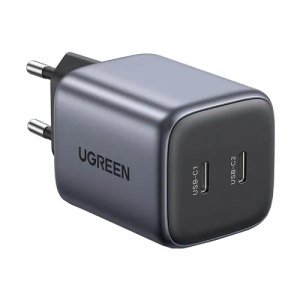
A compact 45W USB-C charger can be a convenient choice for commuting, office use, and travel. It offers more rated output than a traditional 20W or 30W phone adapter without requiring a larger multi-port charger.
However, a 45W label alone does not establish that the charger matches every aspect of Apple’s reference adapter. Check the exact model’s supported output modes and compatibility documentation.
Pros
- Compact models are convenient to carry.
- Sufficient nominal power for the 40W adapter category.
- Often more versatile than a lower-wattage phone-only charger.
Cons
- Not all 45W chargers offer the same USB-PD capabilities.
- Some models have only one port.
- Matching Apple’s advertised charging time is not guaranteed.
Best for: Buyers who want a compact charger for one phone.
Who should skip it: Buyers unwilling to check technical specifications or who need simultaneous charging.
Buy or skip? Buy a clearly documented model from an established manufacturer; skip poorly specified generic adapters.
3. A compatible 65W multi-port GaN charger — Best for multiple devices
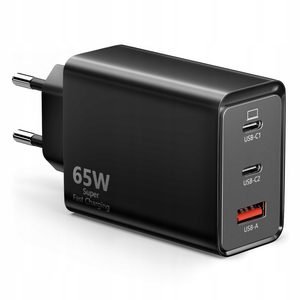
A 65W multi-port charger makes more sense when your iPhone is not the only device you charge.
For example, you might use one charger for your iPhone, earbuds, tablet, or a USB-C laptop. A well-designed multi-port adapter can reduce the number of power bricks in your bag.
The main consideration is power sharing. A charger advertised as 65W total may allocate substantially less than 65W to its primary USB-C port when another device is connected.
Pros
- Useful for mixed-device households.
- Reduces the need for multiple wall adapters.
- GaN designs can offer compact packaging.
Cons
- Power output may change when multiple ports are used.
- More ports and higher output can increase cost.
- Some chargers briefly renegotiate power when devices are connected or disconnected.
Best for: Travelers, laptop owners, and people charging multiple devices.
Who should skip it: Anyone who only needs a simple single-port phone charger.
Buy or skip? Buy for versatility, not because 65W guarantees faster iPhone charging than a compatible 40W adapter.
4. Apple MagSafe Charger — Best wireless charging option
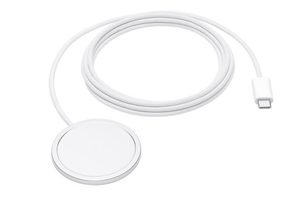
Apple’s MagSafe Charger is a practical choice if you prefer placing your phone on a magnetic charging puck rather than connecting a cable directly.
The iPhone 17 series supports MagSafe wireless charging up to 25W. Apple also documents up to 50% charging in approximately 30 minutes with the appropriate MagSafe Charger and power adapter.
Pros
- Magnetic alignment makes everyday charging convenient.
- Apple documents compatibility and charging requirements.
- A useful option for desks and bedside tables.
Cons
- Requires a compatible USB-C power adapter.
- Wireless charging is generally less energy-efficient than wired charging.
- Cases, temperature, and alignment can affect charging performance.
Best for: People who value convenience and magnetic alignment.
Who should skip it: Buyers focused primarily on the fastest wired charging.
Buy or skip? Buy for convenience, not as a replacement for the fastest wired charging setup.
iPhone 17 vs. iPhone 17 Pro vs. iPhone 17 Pro Max: Do you need different chargers?
No separate charger category is required for each model. All three use USB-C for wired charging and support compatible MagSafe charging.
Apple’s published fast-charging guidance groups the three phones together for the approximately 20-minute, 50% wired charging claim with a 40W-or-higher adapter.
That makes the buying decision relatively simple:
| Your iPhone | Sensible charger choice |
|---|---|
| iPhone 17 | Compatible 40W+ USB-C charger |
| iPhone 17 Pro | Compatible 40W+ USB-C charger |
| iPhone 17 Pro Max | Compatible 40W+ USB-C charger |
| Any of the three, plus other devices | Compatible multi-port 65W charger |
| Any of the three, wireless convenience | Compatible MagSafe or Qi2 charger |
A larger phone does not automatically require a higher-wattage wall adapter. Battery capacity and charging time are different considerations.
Is a 20W or 30W charger still worth using?
Yes. If you already own a reputable USB-C Power Delivery charger, there is no reason to discard it solely because you purchased an iPhone 17.
A 20W adapter can still be useful for overnight charging or routine top-ups. A 30W adapter is also a practical choice, particularly when you are not trying to reproduce Apple’s fastest wired-charging result.
The main reason to upgrade is convenience: faster charging when you have limited time, additional ports, or compatibility with other higher-power devices.
If your existing charger works reliably and meets your needs, buying another adapter may provide little practical value.
How to choose a safe and compatible iPhone charger
Check USB-C Power Delivery support
Look for a charger that explicitly identifies its USB-PD capabilities and output profiles. Avoid treating vague labels such as “super fast” or “maximum speed” as technical evidence.
For the fastest advertised iPhone 17 charging, pay particular attention to Apple’s third-party adapter recommendations.
Understand the difference between wattage and charging speed
Wattage describes the power an adapter can supply under supported conditions. It does not tell you how quickly the phone will charge from empty to full.
An iPhone regulates its charging power based on battery state, temperature, and other conditions. Charging generally slows as the battery approaches full capacity.
Check the cable
All three iPhone 17 models use USB-C.
Apple includes a USB-C charging cable with the phones, so most buyers do not need to purchase a separate cable immediately. Apple’s included cable is compatible with USB-C adapters and fast charging.
A higher-rated cable may be useful for charging laptops, but it is not automatically necessary for charging an iPhone.
For cable selection, see Best USB-C Cables for Fast Charging.
Look for meaningful safety evidence
Choose a manufacturer that clearly publishes electrical ratings, supported charging standards, warranty terms, and safety information.
USB-PD compatibility, a USB-IF certification claim, and an independently evaluated electrical safety certification are not interchangeable.
A logo on a marketplace listing is not enough to verify certification. Where a seller claims a specific certification, check the relevant certification directory or manufacturer’s documentation.
For additional guidance, see Fast-Charging Safety and Certifications.
Consider how many ports you actually need
A single-port charger is often the simplest choice for one phone.
If you regularly charge a laptop, tablet, earbuds, or power bank alongside your iPhone, a multi-port charger can be more useful. Check the manufacturer’s per-port output table before buying.
For a broader comparison, see Best Multi-Port USB-C Chargers for Home and Travel.
Is a 100W charger better than a 65W charger for iPhone 17?
Not necessarily.
A 100W adapter is useful for some laptops and higher-power devices. But an iPhone does not draw the full advertised wattage simply because the adapter can provide it.
For phone-only charging, a suitable 40W or 45W charger is generally the more focused purchase.
For mixed-device charging, the decision depends on your laptop’s power requirements and how the charger distributes power across ports.
Read 65W vs. 100W Chargers: Which Do You Need? for a more detailed comparison.
Wired charging vs. MagSafe vs. Qi2
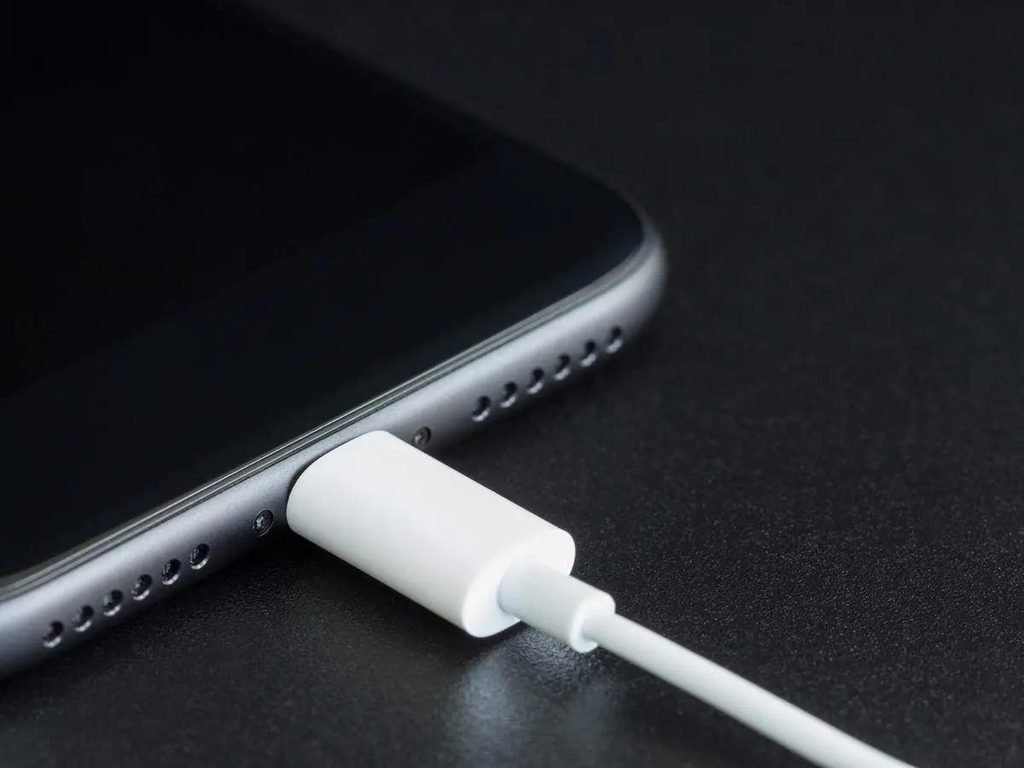
USB-C wired charging
Best for quick charging sessions and minimizing wireless energy losses.
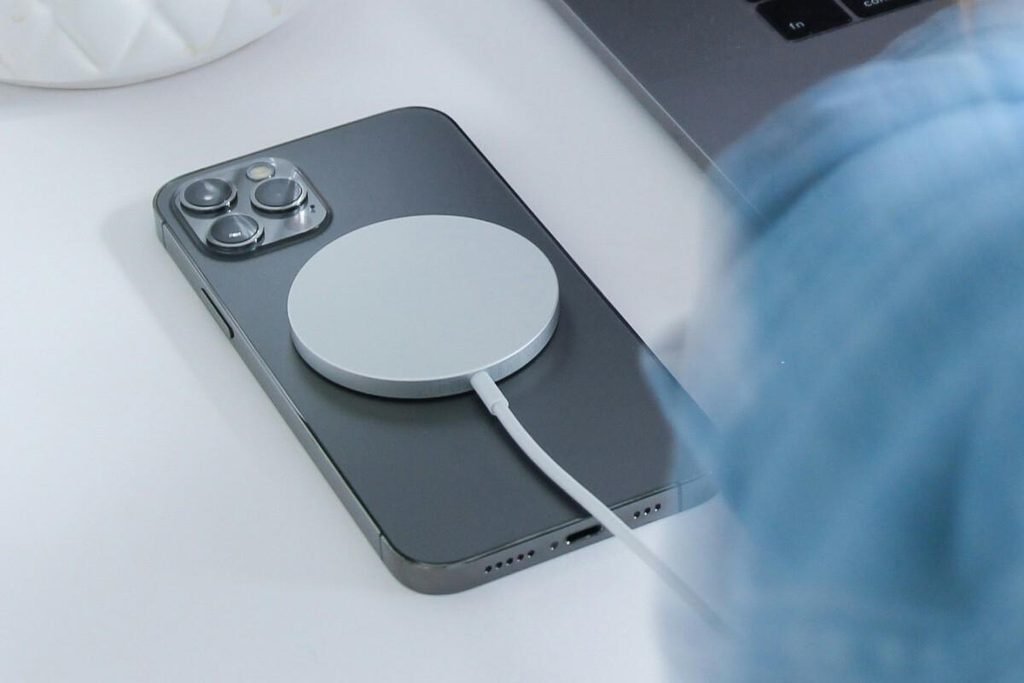
MagSafe / Qi2
Best for convenient magnetic placement on desks and nightstands.
The iPhone 17 supports both MagSafe and Qi2 wireless charging up to 25W, according to Apple’s technical specifications.
However, that rating does not mean every magnetic charger delivers 25W. Different accessories support different charging profiles and may require particular adapters.
Check the exact charger’s compatibility and certified wireless power rating before purchasing.
For buyers who frequently need a fast top-up before leaving home, wired USB-C remains the more straightforward choice. For overnight or desk charging, magnetic charging can be more convenient.
Common mistakes to avoid
Buying solely by wattage. A 100W label does not guarantee better iPhone charging than a compatible 40W charger.
Ignoring multi-port power distribution. A 65W charger may deliver much less power to the iPhone when other ports are occupied.
Assuming all magnetic chargers are equal. Magnetic attachment does not establish Qi2 certification or a 25W charging capability.
Replacing a perfectly usable charger. An existing 20W or 30W USB-C PD adapter may already satisfy your everyday needs.
Believing unsupported charging-time claims. Advertised charging times should identify the phone, adapter, cable, and testing conditions.
Frequently Asked Questions
What is the best wattage charger for iPhone 17?
A compatible 40W-or-higher USB-C charger is the appropriate starting point if you want Apple’s advertised fast wired charging. A lower-wattage USB-C PD charger remains useful for routine charging.
Can I use a 65W charger with iPhone 17 Pro Max?
Yes, provided it is a compatible USB-C charger with suitable power negotiation. The iPhone controls the power it accepts, so a 65W rating does not mean the phone continuously draws 65W.
Does the iPhone 17 come with a charger?
It includes a USB-C charging cable but not a wall power adapter.
Can I charge the iPhone 17 with my MacBook charger?
A compatible USB-C Power Delivery MacBook charger can charge an iPhone 17. Check that the charger and cable are in good condition. The phone negotiates its supported charging power.
Does iPhone 17 support 25W wireless charging?
Yes. Apple lists MagSafe and Qi2 wireless charging up to 25W. Actual performance depends on the charger, adapter, and charging conditions.
Will a 100W charger damage my iPhone?
A properly functioning, standards-compliant USB-C PD charger does not force its full rated power into the phone. Use reliable adapters and cables, and avoid damaged or questionable electrical accessories.
Should I buy a GaN charger?
GaN can be useful when compact size and higher-power output matter. It is not, by itself, a guarantee of better charging performance or safety.
Is Apple’s charger better than a third-party charger?
Apple’s adapter offers a clear compatibility reference. A well-documented third-party charger can also be a good choice, especially if it provides additional ports or better value. Compare actual specifications rather than brand names alone.
Final Verdict: Which iPhone 17 charger should you buy?
For most buyers seeking Apple’s documented fast-charging setup, the Apple 40W Dynamic Power Adapter with 60W Max is the simplest recommendation.
Choose a compact, compatible 45W USB-C charger if portability is your priority. Choose a 65W multi-port charger if you regularly charge other devices. Choose MagSafe if magnetic convenience matters more than wired charging speed.
And if you already own a reliable USB-C PD charger that meets your daily needs, keeping it may be the smartest purchase decision of all.