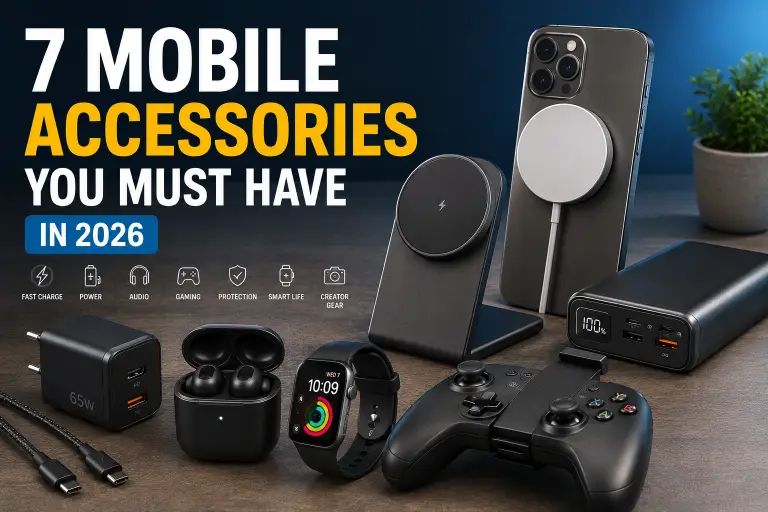
The mobile accessories worth buying in 2026 depend on what your phone setup is missing. A replacement charger can solve a daily problem; a gimbal or gaming controller may sit unused if your activities do not need it. Start with a specific problem and check compatibility before choosing a product.
Buying approach: replace missing or damaged essentials first, add backup power or audio equipment when your routine needs it, and leave specialized accessories until you have a clear use for them. You do not need to buy all seven categories below.
Research basis: this guide uses official manufacturer and standards-body documentation checked on October 7, 2026. It explains buying checks, not hands-on product rankings or measured performance.
Decide what to buy first
| Your problem | Category to consider | Check first |
|---|---|---|
| Uncomfortable audio or inconvenient calls | Earbuds | Fit, microphone and device support |
| Missing or unsuitable charging equipment | Charger | Device protocol, output and cable |
| Battery runs low away from outlets | Power bank | Usable energy, output and weight |
| Need a repeatable mounting setup | Magnetic accessory | Phone/case fit and charging certification if applicable |
| Moving video is difficult to keep steady | Gimbal | Phone dimensions and camera-app support |
| Touch controls do not suit your games | Controller | Game and platform support |
| Want wrist notifications or activity records | Watch or fitness band | Phone/OS compatibility and charging routine |
1. Earbuds: choose for fit, calls and how you listen
Buy when: your current audio setup is uncomfortable, missing a microphone or inconvenient during movement. Wireless earbuds remove the cable to your phone, while basic wired earbuds avoid a separate charging routine. Neither type automatically delivers better sound.
Check: microphone performance, tip options, single-session battery life and the features your phone can use. ANC is listener-side noise reduction; it does not establish call quality. A Bluetooth version number alone does not prove codec, app or switching support. Sony’s compatibility guidance explains the importance of profiles and codecs.
Skip or postpone when: your existing earbuds meet your needs and the proposed upgrade adds features you will not use. See our wired vs wireless buying comparison before changing categories.
2. Charging adapter: match the device before the wattage
Buy when: you lack a suitable charger, need another charging location or want to supply multiple devices from one adapter. A functioning charger that already meets your needs does not require replacement simply because a newer model uses GaN.
Check: your device’s required charging protocol, the intended port’s output, cable rating and power distribution when several ports are in use. Google’s Pixel charging guidance, for example, distinguishes compatible PD and PPS sources. Use the requirements for your exact phone.
There is no universal 30W minimum for every smartphone. GaN is a component technology, not proof that every charger using it runs cooler or is safer. Check the exact model’s specifications, safety documentation, warranty and seller.
Skip or postpone when: the purchase only adds unused wattage or ports. For a multi-device setup, calculate the output each device needs at the same time.
3. Power bank: add backup you will actually carry
Buy when: you regularly run low on battery away from outlets. Compare 10,000 mAh models as a daily-carry starting point and larger models when extra backup is worth the size and weight.
Check: Wh, rated output capacity, compatible charging protocols, recharge input and shared-port limits. Nominal mAh does not directly equal energy delivered to your phone. Anker explains the difference between cell capacity and rated output.
Skip or postpone when: you normally have access to charging and would leave a bulky bank at home. If flying, check the battery label and current airline rules. Our power bank selection guide covers those checks.
4. Magnetic accessories: attachment and charging are separate
Buy when: a magnetic stand, mount, wallet or charger makes a repeated task easier. Decide whether you need physical attachment, charging or both.
Check: the exact phone and case combination, camera clearance and accessory dimensions. A magnetic ring or “MagSafe-compatible” description does not by itself prove Qi2 certification or a particular charging speed. For a charger, verify the exact model in the Wireless Power Consortium’s certification resources and check the phone’s supported charging mode.
Skip or postpone when: your current stand or wired charger solves the same problem. Adding magnets to a phone does not add wireless charging hardware.
5. Smartphone gimbal: useful for planned moving video
Buy when: you regularly record walking shots, tracking sequences or other moving footage and want motorized stabilization. A tripod or your phone’s existing stabilization may be enough for stationary videos.
Check: phone width, thickness and weight with the case or attachments you intend to use. Also verify lens clearance, supported camera features, tracking requirements and app compatibility. DJI’s Osmo Mobile 7 FAQ illustrates that these limits and features are model-specific.
Skip or postpone when: you mainly take photos or occasional static clips. A gimbal does not solve poor lighting, weak audio or unsuitable framing.
6. Gaming controller: verify the game before the hardware
Buy when: your regular games support a controller and you prefer physical buttons. Check the exact game, operating system and controller model; do not assume support transfers across all mobile games.
Check: connection type, phone/case fit, charging access and the game publisher’s current supported-controller policy. Activision’s Call of Duty: Mobile guidance explains that controller use applies to matches, while other menus still need native device controls.
Skip or postpone when: your games do not support your intended controller or you prefer touch input. A controller does not guarantee higher frame rates or better accuracy.
7. Smartwatch or fitness band: check the phone ecosystem
Buy when: wrist notifications, activity records or a specific supported feature would be useful often enough to justify another device and charging routine.
Check: phone and OS compatibility, app availability, battery conditions, regional feature support and any cellular or service costs. Apple’s Watch compatibility table lists required iPhone and software versions by watch model. Other brands have their own requirements.
Skip or postpone when: you only need timekeeping or would not use the recorded data. Sensor lists alone do not establish accuracy or usefulness for your needs.
A buying checklist for any accessory
- Name the problem it will solve and how often you face it.
- Confirm compatibility with your exact device, case and software.
- Include adapters, cables, subscriptions or service costs in your budget.
- Check the seller, warranty and return conditions.
- Keep your existing accessory if it already does the job.
Choose the category that solves your most frequent problem first. Once you know the required connection, features and total cost, compare individual models rather than buying a bundle of accessories because they appear on a yearly list.