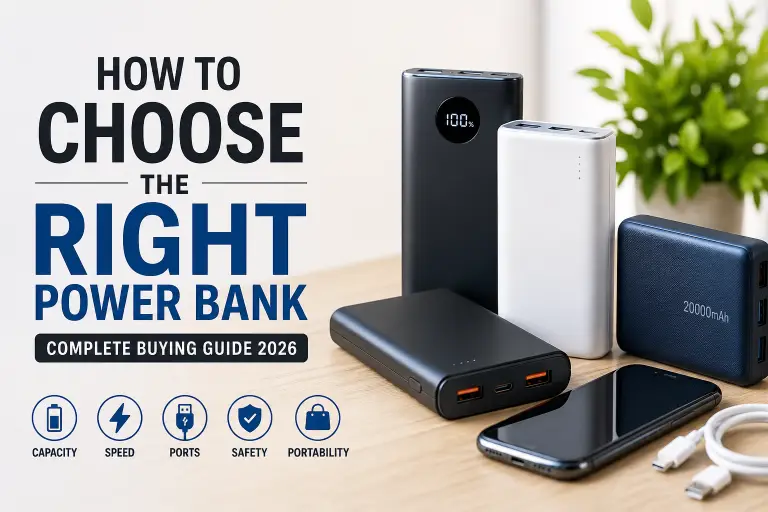
To choose the right power bank, check three things first: how much backup energy you need, which charging standard your device uses, and whether the power bank delivers that output from the port you will use. A large capacity number alone does not answer any of those questions.
Quick recommendation: start by comparing 10,000 mAh models for a phone you carry daily, or 20,000 mAh models when longer backup matters more than pocket size. These are shopping starting points, not guarantees of a particular number of full charges. Laptop users need to check their exact laptop requirements before choosing.
Research basis: this guide explains specifications using manufacturer support documents and FAA guidance, checked on October 7, 2026. It does not report hands-on capacity, temperature, or charging-speed measurements.
Choose a starting point for your use
| What you need | Starting point | What to verify before buying |
|---|---|---|
| Occasional phone top-ups | Compact 5,000–10,000 mAh | Actual weight, usable capacity and your phone’s charging standard |
| Daily phone backup | 10,000 mAh | USB-C output, compatible fast charging and recharge input |
| Longer trips or two devices | 20,000 mAh | Shared-port output, weight and airline rules if flying |
| USB-C laptop backup | Choose output first, then capacity | Laptop charging support, required voltage/wattage and cable rating |
1. Capacity: compare energy, not promised charge counts
The mAh printed on a power bank usually describes its internal battery cells. It is not the same as the capacity delivered to a phone at USB voltage. Anker’s capacity explanation distinguishes cell capacity from rated output and explains conversion losses.
Illustrative calculation: energy in watt-hours (Wh) = mAh × voltage ÷ 1,000. A 10,000 mAh bank rated at 3.7 V contains 37 Wh. A hypothetical 5,000 mAh phone battery rated at 3.85 V contains 19.25 Wh. Dividing gives about 1.92 full charges before conversion losses and power used by the phone while charging. Actual results will be lower; this is an energy example, not a tested result.
Look for the bank’s Wh label and rated output capacity, including the voltage and test conditions. Compare like-for-like specifications. A claim such as “10,000 mAh gives three full charges” is incomplete unless it names the phone and explains the conditions.
2. Match the charging protocol and output port
USB-C is a connector; USB Power Delivery (PD), Programmable Power Supply (PPS), and Quick Charge are charging technologies. A USB-C socket does not by itself prove PD support or fast output. Check your device manufacturer’s requirements, then match the power bank’s supported protocols and voltage/current profiles.
For example, Google’s Pixel charging guidance discusses compatible PD and PPS power sources. For a Pixel purchase, check the requirements for your exact model and whether the bank offers the matching PPS profile. Do the same with Samsung or another manufacturer rather than assuming a “fast charging” label is sufficient.
Read single-port output, not just the largest watt number in the product title. A 22.5W claim may apply to a different port or protocol from the one your phone uses. A higher rated ceiling does not force the phone to charge faster; the connected device, cable, supported charging mode, battery level and temperature affect the result.
3. Laptop charging needs a separate compatibility check
Do not treat 30W as a universal laptop recommendation. Confirm that the laptop accepts charging through the intended USB-C port, then check its manufacturer’s required power source and cable. Apple’s MacBook fast-charge guide, for example, lists different power-source and cable combinations by model.
Compare the bank’s per-port PD voltage/current profiles against those requirements. Check the cable rating too. A compatible but lower-power source may charge slowly or fail to keep up while the laptop is working. Capacity determines how much backup you have; output determines whether the setup can supply the laptop appropriately.
4. Check input speed and shared-port limits
- Input: the maximum power used to recharge the bank. A high output rating does not imply equally fast input. Check which wall charger and cable are needed; they may be sold separately.
- Input/output labels: confirm that the USB-C port you plan to use can supply power, rather than only recharge the bank.
- Multiple devices: read the manufacturer’s power-distribution table. Connecting a second device may reduce the output available to the first.
- Small accessories: check for a documented low-current mode if you need to charge earbuds or similar devices.
One suitable port can be enough for one phone. Extra ports are useful only when their simultaneous output fits your devices. For recharge-time claims, compare the stated charger, starting battery level and conditions.
5. Decide which convenience features matter
- Built-in cable: useful when you forget cables, but check connector type, cable output rating and whether a separate port remains available if the cable is damaged.
- Wireless or magnetic charging: verify your phone, case and supported wireless standard. Magnetic attachment alone does not establish charging compatibility or speed. Compare the supported wired and wireless outputs for the exact model.
- Pass-through charging: use it only if the manufacturer explicitly supports charging a device while recharging the bank. Check input thresholds and reduced output; do not assume uninterrupted UPS operation.
Anker’s 165W power bank guidance illustrates why pass-through conditions are model-specific. Its supported behavior should not be assumed for another power bank.
6. Check safety, weight and travel restrictions
Compare dimensions and actual weight, including any cable you need to carry. Check the seller, exact model number, warranty, return policy and documented safety protections. Price or brand recognition alone does not establish safety; check current manufacturer recall notices for the exact model.
Follow the product’s manual. Anker’s safety guide advises keeping charging equipment away from heat and using a cool, dry, ventilated area. Stop using a swollen or damaged bank and contact the manufacturer for handling guidance. For routine care, see our power bank battery-life guide.
For flights, read the Wh marking before buying. Under US FAA passenger guidance, power banks belong in carry-on baggage, with terminals protected against short circuits; 100 Wh is the usual limit without airline approval. Your airline or destination may impose stricter quantity, capacity or onboard-use rules. Check those rules before departure.
Before you buy: a final checklist
- Write down your exact phone or laptop model and its charging requirements.
- Compare Wh or rated output capacity instead of relying on fixed charge-count claims.
- Confirm the intended port’s protocol, output profile and simultaneous-device limits.
- Check recharge input, required charger and cable, weight, warranty and return options.
- Verify optional features in the model’s manual and current flight rules if relevant.
Once those checks are complete, compare the candidates in our USB-C power bank guide or built-in USB-C cable power bank guide. Choose the model that meets your backup and compatibility needs within your budget.