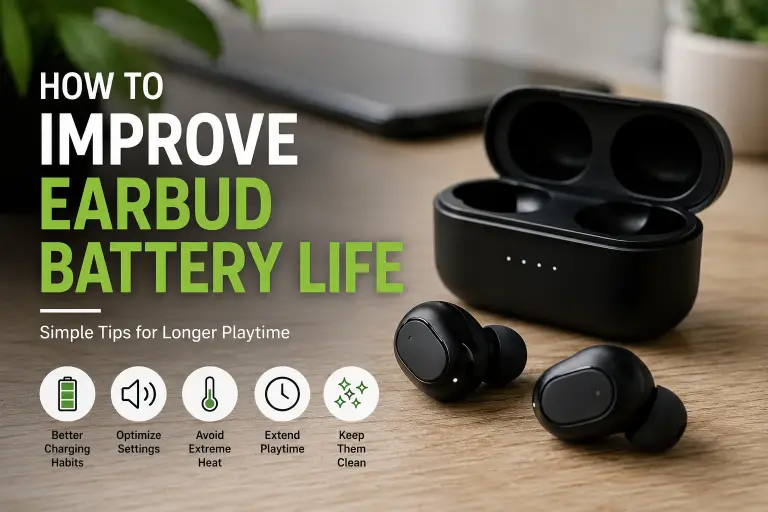
To improve earbud battery life, first identify whether the problem is incomplete charging, power-hungry settings or an aging battery. Cleaning and settings changes can help with the first two. They cannot restore capacity that a worn battery has permanently lost.
Separate runtime—how long the earbuds work on one charge—from battery lifespan—how long they remain useful over months or years. A setting that extends today’s listening session does not prove that the batteries will last an extra year.
Research basis: this guide uses official Apple and Sony support documents checked on October 7, 2026. The examples below are manufacturer-rated figures or troubleshooting instructions, not BuyZivo battery tests.
Start with the symptom
| What you notice | Check first | Next step |
|---|---|---|
| One earbud starts with a low charge | Case charge, seating and visible debris | Confirm that each earbud is charging |
| Runtime dropped after changing settings | ANC, codec, sound processing and call use | Change one setting and compare similar sessions |
| Charging pauses below full | Optimized charging or temperature limits | Read the model’s charging status and instructions |
| Both earbuds run down much sooner than before | Starting charge, settings and firmware | Seek service if the short runtime persists |
| Swelling, damage or abnormal overheating | Stop use and charging | Contact the manufacturer for handling guidance |
1. Confirm both earbuds are actually charging
Check the case battery separately from the earbuds. Place each earbud in its correct slot, confirm it seats properly, and look for the charging indication specified in the manual. A charged case does not establish that both earbuds reached a full charge.
Inspect the cable, power source and case port. If wireless charging is unreliable, try a compatible wired connection to isolate alignment or wireless-charger issues. Apple’s AirPods charging troubleshooting recommends checking connections and charge status before resetting. For another brand, use its own instructions and charging times.
Do not repeatedly reset the earbuds before checking these basics. A reset can remove custom settings, and it does not repair damaged contacts or a worn battery.
2. Clean carefully using the model’s instructions
Debris can interfere with seating or charging. Follow the manufacturer’s cleaning procedure for the exact earbuds and case; instructions for speaker meshes, exterior surfaces and charging ports may differ.
Apple’s AirPods cleaning guide recommends a soft, dry, lint-free cloth for the case, keeping liquid out of charging ports and avoiding abrasive materials. It also warns against inserting objects into ports that could damage metal contacts. Do not scrape pins, soak the case or apply a cleaning method from another model without checking.
After sweat exposure or permitted cleaning, let everything dry as directed before charging. Cleaning may fix a contact issue; it will not reverse battery aging.
3. Compare settings instead of using generic runtime averages
Check the manufacturer’s rated listening and call times for your exact model, including the codec and noise-control settings. Case-assisted totals are not the same as uninterrupted listening time.
For a concrete example, Sony’s WF-C700N operating-time guide lists maximum AAC music playback of 7.5 hours with noise cancellation on and 10 hours with noise control off. It lists maximum communication time of 5 hours. These figures apply to that model and its stated conditions; they are not averages for all earbuds.
Sony also notes that equalizer and DSEE settings can shorten that model’s operating time. This illustrates why a universal table ranking ANC as “very high” drain or gaming as “3–5 hours” is unreliable.
- In a quiet place, compare noise control off with your usual setting if the model supports it.
- Check optional sound processing, spatial audio and codec settings in the manual. Do not assume every feature has the same effect across models.
- Compare like-for-like sessions: similar volume, source device and music or call use. Change one setting at a time.
- Use a comfortable volume. Do not expect a guaranteed runtime gain from a specific percentage reduction.
4. Use the supported charging features
If your model offers optimized charging or a charge limit, understand how it works before interpreting a partial charge as a fault. Apple’s AirPods charging guide describes Optimized Battery Charging on supported models, which reduces time spent fully charged by learning the charging routine.
There is no universal requirement to manually keep every earbud between 20% and 80%. Many cases recharge the earbuds automatically. Follow the product’s charging instructions rather than constantly removing them to meet an arbitrary percentage target.
Use a compatible charger, cable and replacement case. Price alone does not establish whether an accessory is safe or suitable. Do not assume a supported fast-charge feature must be disabled; monitor the conditions and follow the manufacturer’s guidance.
5. Keep the earbuds and case away from excessive heat
Avoid leaving the case in a parked car or direct sunlight. Apple’s temperature guidance specifies an ambient operating range of 0–35°C for AirPods and explains that excessive heat can permanently shorten battery life. It also notes that charging may slow or stop when the device is too warm.
Those temperature limits are an AirPods example. Check your model’s operating and storage ranges. Let hot equipment return to normal conditions naturally; do not use a freezer or apply water to cool it. For long-term storage, follow the model’s stated charge and maintenance instructions.
6. Check firmware and idle behavior
Use the manufacturer’s official app or update process and read the release notes. An update may address a known issue, but it does not guarantee longer battery life.
AirPods do not require a separate companion app for firmware updates. Apple’s firmware instructions explain that updates are delivered while the earbuds are charging and within Bluetooth range of a compatible iPhone, iPad or Mac connected to Wi-Fi.
After listening, return earbuds to the case or use the model’s supported power-off procedure. Confirm they seat and disconnect as expected. If auto-off is configurable, check its behavior rather than assuming pausing playback turns the earbuds off.
What if one earbud drains faster?
Different settings and use can produce different left/right battery readings. Sony’s WF-C700N guide notes that consumption can differ between earbuds under some conditions. Do not assume every design uses one permanent “primary” earbud.
Check starting charge and seating first, then compare a similar session with current firmware. A persistent large difference, abrupt shutdown or failure to charge deserves manufacturer troubleshooting or service.
Using one earbud while the other charges may help maintain availability if your model supports independent use. It changes the listening experience and does not prove reduced battery wear or heat.
When troubleshooting should become a service request
If runtime stays inadequate after confirming charging, settings and firmware, check warranty coverage and available battery, earbud or case service. Record the model, starting charge, settings and approximate runtime so support can assess the issue.
Do not open sealed earbuds or attempt to replace tiny lithium batteries unless the product provides a supported user-repair procedure. Stop using visibly damaged, swollen or abnormally overheating equipment and ask the manufacturer how to handle it.
There is no universal two-to-four-year lifespan or 30-minute replacement threshold. Compare service cost, replacement availability and the runtime you need. If replacement becomes necessary, our wired vs wireless earbuds guide explains the charging and compatibility trade-offs.
A practical battery-care checklist
- Confirm charging for the case and both earbuds.
- Clean and dry the equipment using its own care instructions.
- Compare model-specific settings and runtime conditions.
- Use supported charging and firmware features.
- Avoid excessive heat and seek service for persistent or unsafe symptoms.
These checks help distinguish a charging fault from normal feature-related drain and battery wear. They provide a clearer basis for deciding whether settings, maintenance or service is the next step.