Phone Charging Mistakes: What Actually Matters
Phone batteries lose capacity as they age. Charging habits and temperature can affect that process, but no routine guarantees a fixed number of extra years. This guide uses manufacturer guidance to explain seven habits worth changing; it does not present personal battery tests.
Start with your exact phone model. Charging features, compatible accessories, and battery-health menus vary by device and software version.
1. Charging Overnight in Hot or Poorly Ventilated Conditions
Overnight charging is not automatically a mistake. According to Apple’s charging and battery-care guidance, an iPhone stops charging when full and resumes if the level falls below 95%.
The fix: Keep the charging area ventilated and avoid covering the phone or charger with bedding. Use your phone’s supported charging optimization rather than relying on an arbitrary two-hour timer. Follow the manufacturer’s instructions for your device.
2. Deliberately Draining the Battery Before Every Charge
You do not need to run the battery from full to empty to teach it its capacity. Google’s Pixel charging guidance explicitly says this is unnecessary. Charge when it fits your routine instead of waiting for the phone to shut down.
The fix: Use partial charging when convenient. Treat 20–80% as an optional routine, not a mandatory rule or a reason to worry about an occasional full charge.
3. Choosing Accessories Without Checking Compatibility
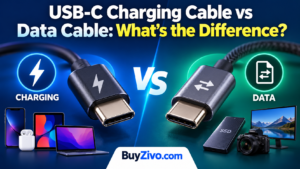
Price alone does not establish whether a charger is suitable. Check the connector, supported charging protocol, output specifications, cable rating, and the phone manufacturer’s requirements.
For Lightning accessories, Apple recommends certified products; its Lightning accessory guidance explains the MFi badge. For a third-party Lightning cable, check MFi certification; for a USB-C charging setup, check USB-C compliance and your device’s requirements. For USB-C iPhones, Apple specifies USB-C-compliant cables and adapters.
USB-IF certification concerns USB compliance and is not exclusive to Android. Check the exact product in the USB-IF product database when a seller claims certification. A logo claim should be checked against the model, not assumed from the brand name.
The fix: Choose compatible, undamaged accessories with clear specifications. Replace a frayed cable or damaged connector rather than continuing to use it.
For a buying checklist, see our fast-charger selection guide, USB-C cable guide, and charging cable buying guide.
4. Ignoring Excessive Heat While Charging in a Case
A case does not automatically harm battery life. Apple’s battery-performance guidance recommends removing certain cases if the device gets hot during charging.
The fix: If your phone becomes unusually hot, stop charging and let it cool. Check whether the case interferes with ventilation or wireless charging. Remove it when the manufacturer recommends doing so; every case does not need to come off for every charge.
5. Charging in Extreme Temperatures
Avoid charging in direct sunlight or a hot parked car. The temperature range published for one phone is not a universal specification for all lithium-ion batteries.
Apple’s iPhone thermal-charging guidance specifies an ambient charging range of 0–35°C (32–95°F). Check the operating limits for your own device. Let a very cold phone return gradually to a suitable indoor temperature before charging.
The fix: Charge in a sheltered, ventilated location within your phone’s specified temperature range. Follow temperature warnings instead of trying to force charging to continue.
6. Continuing Heavy Use When the Phone Gets Too Hot
Gaming, recording video, or other demanding tasks while charging can increase heat. Google’s overheating guidance recommends stopping resource-heavy apps if the phone overheats. A slightly warm phone is not necessarily a fault.
Using a phone while plugged in is not inherently a charging mistake: Google’s charging-performance guidance allows it, while noting that limiting use helps charging speed.
The fix: Reduce demanding use if the device gets too hot or displays a temperature warning. Google advises disconnecting an overheated Pixel, moving it somewhere cooler, and leaving it unused until it cools.
7. Keeping the Phone Fully Charged When You Do Not Need To
A full charge can be useful before travel or a long day away from power. You do not need to avoid 100% at all costs. If a lower limit leaves enough runtime for your day, a supported charge-limit feature is a practical alternative.
Use Apple’s charge-limit instructions for the options available on your iPhone model. Google offers an 80% limit on Pixel 6a and later in its charging-optimization instructions. Supported devices may occasionally charge fully to maintain accurate capacity estimates.
The fix: Choose a supported limit or optimized charging that fits your needs. Adjust it when you need more runtime. No percentage target guarantees that a battery will last years longer.
Quick Reference: Charging Habits to Change
| Habit to change | Better approach |
|---|---|
| Charging under bedding | Keep the phone and charger ventilated |
| Waiting for 0% every time | Charge when convenient |
| Buying without checking specifications | Match the phone, adapter, and cable |
| Ignoring excessive heat in a case | Let the device cool and check case compatibility |
| Charging in a hot car or extreme cold | Follow the device’s temperature limits |
| Continuing demanding tasks through a heat warning | Pause use and allow the phone to cool |
| Staying at full charge unnecessarily | Use supported charging optimization |
A Practical Battery-Care Routine
Prioritize a suitable temperature, compatible accessories, and the charging features your phone supports. Battery aging is expected; a health reading alone does not prove that you charged incorrectly.
Battery-health information is not available through the same menu on every phone. Google’s Pixel battery-health documentation limits that status feature to Pixel 8a and later. Other Android models may provide different diagnostics or no comparable percentage reading.
Check your manufacturer’s support page for your model. If runtime becomes inadequate, warnings persist, or you suspect battery damage, seek manufacturer or authorized service advice. Changing charging habits will not restore a worn battery’s original capacity.