Buying Android accessories sounds simple until you realize how many options are out there. Chargers, cables, earbuds, phone cases, power banks, screen protectors, car mounts, smartwatch bands, memory cards, cleaning kits — the list keeps growing.
The truth is, you do not need every shiny gadget marketed as a “must-have.” What you really need are accessories that make your Android phone safer, faster, easier to use, and more reliable in daily life.
A good accessory can save your phone from damage, extend battery life during a long day, improve your work setup, make travel smoother, and even help you stay more organized. A poor-quality accessory, on the other hand, can waste your money or even damage your device.
This Android accessories buying guide is written for everyday users — students, office workers, business owners, commuters, travelers, content creators, and anyone who depends on their phone daily. Let’s break down what is worth buying and how to choose wisely.
1. Start With Protection: Case and Screen Protector
The first Android accessory you should buy is not the most exciting one. It is protection.
A smartphone case and screen protector may feel basic, but they are the accessories you will appreciate most when your phone slips from your hand, falls off a table, or gets scratched inside your bag.
Phone Case: What to Look For
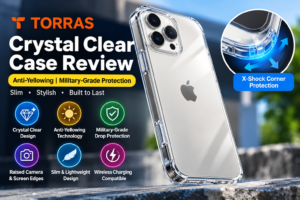
A good Android phone case should offer grip, corner protection, raised edges, and comfortable handling. Many people choose a case only based on design, but protection matters more.
For daily use, look for:
- Shock-absorbing corners
- Raised bezels around the screen and camera
- Non-slip texture
- Accurate button cutouts
- Wireless charging compatibility, if your phone supports it
If you prefer a slim phone, a thin TPU or silicone case is enough for light protection. But if you often travel, work outdoors, or drop your phone frequently, choose a rugged case with reinforced corners.

Screen Protector: Tempered Glass Is Usually Best
For most users, a tempered glass screen protector is the safest choice. It feels closer to the original display, resists scratches better than plastic film, and can absorb impact during accidental drops.
If your phone has a curved display, make sure the protector is designed specifically for that model. Cheap universal protectors often leave bubbles, reduce touch sensitivity, or fail to cover the screen properly.
Pro tip: Always check whether the screen protector supports fingerprint unlocking, especially if your Android phone has an in-display fingerprint sensor.

2. Charger and USB-C Cable: Don’t Buy the Cheapest One
Your charger and cable affect your phone more than many people realize. A bad charger may charge slowly, heat up your phone, or wear out quickly. A good charger gives you safe, stable, and efficient charging every day.
Most modern Android phones use USB-C, but not every USB-C charger or cable is equal.
What Makes a Good Android Charger?
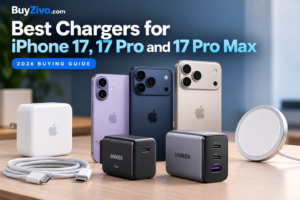
Before buying a charger, check your phone’s supported charging speed. Some Android phones support 18W, 25W, 33W, 45W, 65W, or even higher fast charging. Buying a random charger may not give you the speed your phone can handle.
Look for:
- USB-C Power Delivery support
- Certified fast charging compatibility
- Overheating and overcurrent protection
- Good build quality
- Brand reliability
If you use multiple devices, a multi-port charger can be very useful. For example, one charger can power your phone, earbuds, smartwatch, and tablet.
USB-C Cable Buying Tips
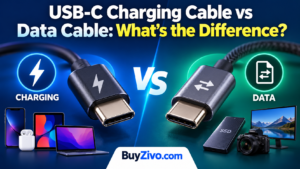
A cable may look simple, but it controls both charging and data transfer. Some cables are charging-only, while others support fast data transfer and higher wattage.
For daily use, choose a cable that is:
- Durable and braided
- At least 1 meter long
- Fast-charging compatible
- Strong around the connector ends
- From a trusted brand
A longer cable is useful near your bed or desk, but extremely long cheap cables may reduce charging performance. For travel, carry one short cable and one regular-length cable.

3. Power Bank: Your Backup Plan for Busy Days
A power bank is one of the most practical Android accessories for daily life. It is especially useful if you commute, travel, attend classes, work outside, create content, or use mobile data heavily.
Even phones with large batteries can run low by evening if you use navigation, hotspot, camera, gaming, or social media throughout the day.
What Capacity Should You Buy?
For normal daily use, a 10,000mAh power bank is usually enough. It is compact, easy to carry, and can charge most Android phones around one to two times depending on battery size.
If you travel often or need backup for multiple devices, consider a 20,000mAh power bank. It is heavier but more reliable for long trips.
Features Worth Paying For
A good power bank should include:
- USB-C input and output
- Fast charging support
- Battery level indicator
- Multiple ports
- Safety protection
- Compact size
- Carry-on baggage
Avoid very cheap power banks with unrealistic capacity claims. If a small, lightweight power bank claims 50,000mAh at a suspiciously low price, it is probably not trustworthy.
4. Wireless Earbuds or Headphones
Wireless earbuds have become a daily essential for Android users. Whether you take calls, listen to music, watch videos, join online meetings, or work out, a good pair of earbuds can make a big difference.
Earbuds vs Headphones
For daily commuting and casual use, wireless earbuds are more convenient. They are compact, easy to carry, and fit in your pocket.
For long work sessions, gaming, or better sound quality, over-ear headphones may be more comfortable. They usually offer better battery life and stronger noise isolation.
What to Check Before Buying
When choosing earbuds for Android, look for:
- Comfortable fit
- Good microphone quality
- Stable Bluetooth connection
- Long battery life
- Fast charging case
- Water resistance
- Noise cancellation, if needed
If you make many calls, do not judge earbuds only by music quality. Microphone performance matters a lot. Many budget earbuds sound decent but perform poorly during phone calls, especially in noisy places.
For workouts, choose earbuds with water or sweat resistance. For office work or travel, active noise cancellation can be worth the extra cost.

5. Phone Stand and Car Mount
A phone stand may seem small, but once you use one, it becomes hard to go back. It keeps your phone upright while you watch videos, attend video calls, read recipes, follow tutorials, or monitor notifications at your desk.
Desk Phone Stand
For home and office use, choose a stand that is:
- Stable
- Adjustable
- Compatible with your phone case
- Strong enough for larger phones
- Foldable if you travel
A phone stand is especially useful if you use your Android phone as a second screen beside your laptop.
Car Mount
If you drive, a car mount is not just convenient — it helps you use navigation more safely. Instead of holding your phone or placing it loosely on the dashboard, a proper mount keeps it visible and steady.
Common types include:
- Dashboard mounts
- Windshield mounts
- Air vent mounts
- Magnetic mounts
- Wireless charging mounts
For daily driving, choose a mount that is stable on rough roads and easy to adjust with one hand. If your phone supports wireless charging, a wireless charging car mount can be very useful, especially for long routes.

6. Smartwatch or Fitness Band
A smartwatch or fitness band is not necessary for everyone, but it can be very helpful if you want quick notifications, health tracking, exercise data, or hands-free convenience.
Fitness Band
A fitness band is usually cheaper, lighter, and focused on health basics. It is good for tracking:
- Steps
- Sleep
- Heart rate
- Workouts
- Calories
- Basic notifications
If your goal is simple health tracking, a fitness band is enough.
Smartwatch
A smartwatch is better if you want more features, such as:
- Replying to messages
- Taking calls
- App notifications
- Music control
- GPS tracking
- Larger display
- More customization
Before buying, check Android compatibility. Some watches work best only with specific brands, while others support most Android phones.
Battery life is also important. Some smartwatches need daily charging, while fitness bands can last several days.
7. Storage Accessories for Photos and Files
If you take lots of photos, record videos, download files, or manage work documents, storage accessories can be useful.
USB-C Flash Drive
A USB-C flash drive lets you quickly move files between your Android phone and computer. It is useful for:
- Backing up photos
- Transferring videos
- Carrying documents
- Freeing phone storage
- Sharing files without internet
Choose a dual USB-C and USB-A drive if you use both modern phones and older computers.
MicroSD Card
Some Android phones still support microSD cards, though many newer models do not. If your phone has a memory card slot, buy a reliable card with good speed ratings.
For photos and general storage, a standard card works fine. For 4K video recording, choose a faster card to avoid recording issues.
Do not buy unknown-brand memory cards from unreliable sellers. Fake cards are common and may corrupt your files.
8. Cleaning Kit and Small Everyday Tools
Phones collect dust, fingerprints, lint, and germs every day. A simple cleaning kit can keep your Android phone looking better and working properly.
Useful cleaning accessories include:
- Microfiber cloth
- Screen-safe cleaning spray
- Soft brush
- Dust removal stickers
- Port cleaning tool
Be careful when cleaning charging ports and speaker grills. Avoid sharp metal objects because they can damage internal parts. A soft brush or proper cleaning tool is safer.
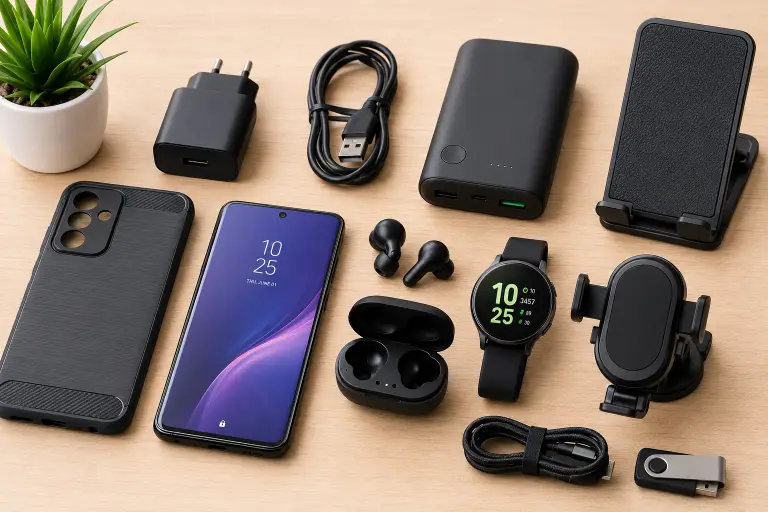
You can also keep a small cable organizer or pouch for your charger, earbuds, USB drive, and power bank. It makes your everyday carry setup cleaner and easier to manage.
9. Accessories You May Not Actually Need
Not every Android accessory is worth buying. Some products look useful online but end up sitting in a drawer.
You may not need:
- Very cheap gaming triggers unless you play mobile games often
- Clip-on camera lenses with poor image quality
- Fancy phone coolers for normal use
- Extremely bulky cases if you rarely drop your phone
- Random magnetic adapters from unknown brands
- Cheap wireless chargers that heat up too much
Before buying any accessory, ask yourself: Will I use this at least three times a week? If the answer is no, it may not be worth it.
10. How to Choose Quality Android Accessories
The Android accessories market has everything from excellent products to low-quality knockoffs. Choosing wisely helps you avoid waste and protect your phone.
Check Compatibility First
Always make sure the accessory works with your exact phone model. This is especially important for cases, screen protectors, chargers, wireless charging pads, and camera accessories.
Read Real Reviews
Do not only look at star ratings. Read reviews that mention long-term use, charging speed, durability, comfort, or connection stability. User photos can also reveal the actual quality of the product.
Avoid Suspiciously Cheap Products
A low price is not always bad, but extremely cheap chargers, cables, batteries, and storage cards can be risky. Accessories connected to power or data should be reliable.
Choose Practical Features
Focus on accessories that solve real problems. For daily use, practicality matters more than fancy design.
Good daily-use accessories should be:
- Easy to carry
- Durable
- Safe for your device
- Comfortable to use
- Compatible with your lifestyle
- Backed by good reviews or warranty
11. Final Android Accessories Buying Checklist
Here is a simple checklist before you buy:
- Phone case: Does it protect the corners, camera, and screen edges?
- Screen protector: Is it made for your exact phone model?
- Charger: Does it support your phone’s fast charging standard?
- USB-C cable: Can it handle fast charging and daily bending?
- Power bank: Is the capacity realistic and useful for your routine?
- Earbuds: Are the fit, microphone, and battery life good enough?
- Car mount: Is it stable, adjustable, and safe for driving?
- Phone stand: Is it strong enough for your phone size?
- Storage: Is the brand reliable and speed suitable for your needs?
- Cleaning kit: Is it safe for phone screens and ports?
This checklist can save you from impulse buying and help you build a smart everyday Android setup.
Final Verdict
The best Android accessories for daily use are not always the most expensive or the most popular. They are the ones that make your phone easier to use, safer to carry, and more reliable throughout the day.
Start with the basics: a strong phone case, a good screen protector, a safe charger, and a durable USB-C cable. Then add a power bank, wireless earbuds, phone stand, car mount, or smartwatch depending on your lifestyle.
The smartest approach is simple: buy accessories that solve your real daily problems. If you travel often, invest in a better power bank and compact charger. If you work from your phone, get a stand, earbuds with a good mic, and reliable storage. If you drive, a stable car mount is a must.
A well-chosen Android accessory setup does not just protect your phone. It improves your everyday experience — one small upgrade at a time.