Introduction
If you charge a laptop, smartphone, tablet, earbuds, and other USB-C devices every day, a standard charger often becomes the weakest part of your setup. Slow charging, limited ports, and bulky power adapters can make travel and work more frustrating than they need to be.
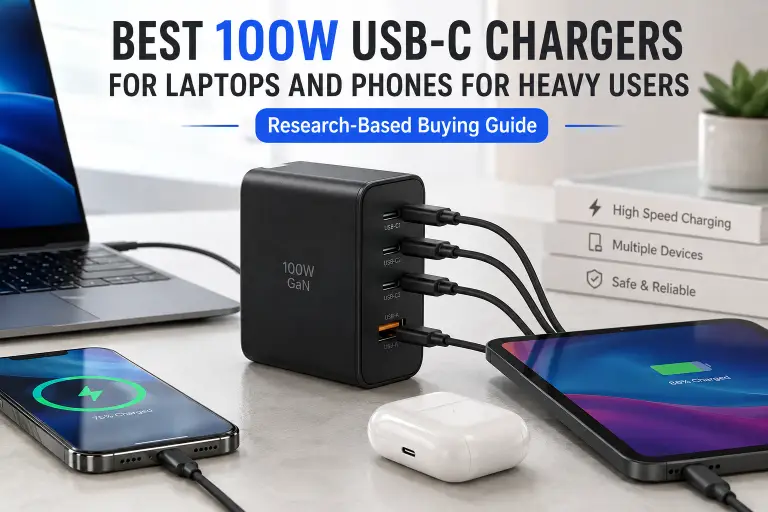
The Best 100W USB-C Chargers for heavy users offers enough power to handle demanding laptops while still charging phones, tablets, and accessories safely. Modern chargers also use Gallium Nitride (GaN) technology, making them much smaller and more efficient than many traditional silicon chargers.
What should readers know about the best 100W USB-C charger for heavy users?
A good 100W USB-C charger should support USB Power Delivery (USB PD), deliver power safely, offer intelligent power distribution across multiple ports, and come from a reputable manufacturer that clearly publishes compatibility and safety information. Not every charger labeled “100W” performs the same, so understanding specifications is more important than simply choosing the highest advertised wattage.
This guide explains what actually matters, what marketing claims to ignore, and how to choose a charger that fits your devices and your daily routine.
Quick Answer
A 100W USB-C charger is ideal for users who regularly charge power-hungry laptops alongside smartphones and other USB-C devices. Look for support for USB Power Delivery, appropriate port configuration, quality USB-C cables, thermal protection, and transparent manufacturer specifications. GaN chargers are generally the preferred choice because they provide high power output in a compact design.
Key Takeaways
- A 100W charger is suitable for most USB-C laptops and flagship smartphones.
- USB Power Delivery support matters more than advertised wattage.
- The charging cable is just as important as the charger.
- GaN chargers are typically smaller and more efficient than older silicon designs.
- Multi-port chargers automatically redistribute available power when several devices are connected.
- Manufacturer claims about charging speed should always be checked against official device compatibility.
- Safety certifications and quality components are more important than cosmetic features.
What Is a 100W USB-C Charger?
A 100W USB-C charger is a power adapter capable of delivering up to 100 watts through the USB-C connector using the USB Power Delivery (USB PD) standard.
Unlike older USB chargers that supplied fixed power levels, USB PD allows compatible devices to negotiate the voltage and current they need. This communication helps improve charging efficiency while protecting connected devices.
For example:
- A smartphone may draw only around 20–45W.
- A tablet may request around 30–45W.
- Many modern ultrabooks require 65W.
- Larger laptops can require up to 100W.
The charger does not force 100 watts into every device. Instead, compatible devices request only the amount of power they support.
According to the USB Implementers Forum (USB-IF), USB Power Delivery dynamically negotiates power between the charger and the connected device, helping deliver appropriate power safely.
Why Heavy Users Benefit From a 100W Charger
Not everyone needs a high-power charger. However, if you regularly use demanding devices throughout the day, the difference can be significant.
Heavy users often include:
- Software developers
- Content creators
- Video editors
- Designers
- Remote workers
- University students
- Business travelers
- Photographers
- Engineers
Many of these users carry several devices simultaneously. Instead of packing separate laptop and phone chargers, one quality 100W charger can often replace multiple adapters.
Benefits include:
Faster Laptop Charging
Many premium laptops support charging between 65W and 100W using USB Power Delivery.
Examples include numerous models from Apple, Dell, Lenovo, ASUS, Acer, HP, Microsoft Surface, and Framework. Supported charging speed depends on the specific model rather than the brand alone.
Always verify your laptop’s official charging requirements before purchasing.
One Charger for Multiple Devices
A multi-port 100W charger can often power:
- Laptop
- Smartphone
- Tablet
- Wireless earbuds
- Smartwatch
- Power bank
- Portable gaming console
Power is automatically shared across ports depending on the charger’s design.
Better Travel Experience
Replacing several chargers with one compact GaN charger reduces:
- Cable clutter
- Travel weight
- Outlet usage
- Packing space
For many travelers, this is one of the biggest practical advantages.
Future Compatibility
USB-C adoption continues to expand across laptops, smartphones, tablets, cameras, portable monitors, and accessories.
Investing in a high-quality USB PD charger today may reduce the need for additional chargers as more devices transition to USB-C.
Understanding USB Power Delivery (USB PD)
USB Power Delivery is the charging protocol that allows compatible devices to negotiate higher power levels safely through USB-C.
Instead of providing one fixed voltage, USB PD supports multiple negotiated power profiles.
This allows:
- Higher charging speeds
- Improved efficiency
- Better compatibility
- Intelligent communication between charger and device
Without USB PD support, a charger may still power a device but at significantly lower speeds.
What Is PPS?
Many Android flagship phones also support Programmable Power Supply (PPS), an optional feature within USB Power Delivery.
PPS allows the charger to adjust voltage in smaller increments, helping compatible phones charge more efficiently while reducing excess heat.
Samsung recommends PPS-compatible chargers for certain Super Fast Charging modes on supported Galaxy devices.
However, PPS benefits only devices designed to use it. Apple devices do not rely on PPS in the same way.
USB PD 3.0 vs USB PD 3.1
USB Power Delivery has evolved over time.
USB PD 3.0
USB PD 3.0 supports charging up to 100W (20V at 5A) when paired with an appropriate electronically marked (E-Marker) USB-C cable.
This remains sufficient for many laptops currently on the market.
USB PD 3.1
USB PD 3.1 introduced the Extended Power Range (EPR), allowing compatible devices and cables to negotiate power levels above 100W, reaching up to 240W.
This higher capability primarily benefits power-hungry laptops and professional workstations that support the newer specification.
If your devices require only up to 100W, a quality USB PD 3.0 charger remains an excellent choice.
What Makes a Good 100W USB-C Charger?
Not every charger advertised as “100W” offers the same overall experience.
Several factors determine long-term reliability and usability.
Reliable USB PD Support
The charger should clearly state USB Power Delivery compatibility rather than simply advertising fast charging.
Manufacturers that publish detailed specifications generally inspire more confidence than those using vague marketing language.
High-Quality Internal Components
Although internal components are difficult to inspect before purchase, reputable manufacturers often highlight:
- Over-current protection
- Over-voltage protection
- Over-temperature protection
- Short-circuit protection
These protections help reduce charging risks, although no electronic device is completely risk-free.
Intelligent Power Distribution
Many heavy users charge multiple devices simultaneously.
A quality charger automatically adjusts power allocation across ports instead of splitting power equally regardless of device needs.
Always check the manufacturer’s power distribution chart because different models allocate power differently.
Compact GaN Design
Gallium Nitride (GaN) semiconductors allow chargers to achieve high power output with smaller physical dimensions than many conventional silicon chargers.
For frequent travelers, this smaller size can make a noticeable difference without sacrificing charging capability.
Buying Criteria: What Really Matters
When comparing the best 100W USB-C charger for heavy users, focus on these factors instead of flashy advertising.
1. Maximum Single-Port Output
Some chargers advertise 100W total output but deliver much less from a single USB-C port when multiple devices are connected.
If you regularly charge a high-performance laptop, verify the single-port output specification.
2. Number of USB-C Ports
Think about your typical setup.
For example:
- One laptop
- One smartphone
- Wireless earbuds
- Tablet
A charger with two or three USB-C ports may be more practical than one offering a mix of USB-C and legacy USB-A ports.
3. Cable Compatibility
Even the best charger cannot provide full performance through an inadequate cable.
For charging at up to 100W, use a USB-C cable rated for 5A with an integrated E-Marker chip where required by the USB Power Delivery specification. Always verify the cable’s official power rating.
4. Manufacturer Transparency
Trust manufacturers that publish:
- Full technical specifications
- Supported charging protocols
- Port power distribution
- Safety features
- Compatibility information
Be cautious of listings that rely primarily on vague performance claims without detailed documentation.
Best 100W USB-C Chargers for Heavy Users (Research-Based Guide)
The chargers below are selected based on publicly available manufacturer documentation, USB Power Delivery support, safety features, reputation, and long-term reliability. BuyZivo has not performed hands-on testing of these products. Specifications should always be verified on the manufacturer’s official website before purchasing.
1. Anker Prime 100W GaN Wall Charger (3 Ports)
Best for: Professionals who charge a laptop and multiple mobile devices every day
Overview
Anker’s Prime series is designed for users who need high power in a compact form factor. It supports USB Power Delivery and uses GaN technology to reduce size while maintaining high output.
Highlights
- Up to 100W maximum output
- 2 × USB-C ports
- 1 × USB-A port
- GaN technology
- Foldable plug (regional versions vary)
- Intelligent power distribution
Pros
- Compact for its output
- Excellent build quality
- Suitable for many USB-C laptops
- Reliable thermal management
- Well-documented specifications
Cons
- Premium price
- USB-A port may be unnecessary for users with only USB-C devices
Best For
- MacBook users
- Dell XPS owners
- Frequent travelers
- Remote workers
2. UGREEN Nexode 100W GaN Charger
Best for: Users charging several USB-C devices simultaneously
Overview
UGREEN’s Nexode series has become popular because it combines multiple high-speed USB-C ports with compact GaN construction.
According to official documentation, it supports USB Power Delivery and dynamic power allocation across ports.
Highlights
- Up to 100W total output
- Multiple USB-C ports
- USB-A support
- Compact GaN design
- Travel-friendly
Pros
- Good port selection
- Efficient power sharing
- Solid compatibility
- Compact footprint
Cons
- Output decreases when several devices charge simultaneously
- Users should review the official port distribution chart before purchase
Best For
- Laptop + phone charging
- Home office setups
- Students
- Everyday professionals
3. Belkin BoostCharge Pro 100W USB-C GaN Charger
Best for: Users who prioritize established accessory brands
Overview
Belkin has long worked with major device manufacturers, including Apple, and publishes detailed compatibility information for many of its charging products.
Its BoostCharge Pro series focuses on reliable USB PD charging rather than exaggerated performance claims.
Highlights
- USB Power Delivery support
- GaN technology
- Compact housing
- Multiple protection features
Pros
- Strong brand reputation
- Excellent documentation
- Suitable for premium devices
- Reliable construction
Cons
- Usually more expensive than comparable competitors
- Port configuration differs between models
Best For
- Apple ecosystem users
- Business professionals
- Frequent travelers
4. Baseus GaN5 Pro 100W Charger
Best for: Buyers looking for strong features at a competitive price
Overview
Baseus offers several 100W GaN chargers with multiple USB-C ports and USB Power Delivery compatibility.
Specifications vary by region and model, so buyers should always verify the exact version before ordering.
Highlights
- Up to 100W output
- GaN technology
- Multiple ports
- USB PD compatibility
Pros
- Attractive pricing
- Good port selection
- Compact design
Cons
- Product naming can be confusing
- Regional specifications may differ
Best For
- Budget-conscious buyers
- Students
- Everyday laptop users
5. Apple 96W USB-C Power Adapter
Best for: Apple users who prefer an official first-party charger
Overview
Apple’s 96W USB-C Power Adapter delivers slightly less than 100W but remains an excellent option for many compatible MacBook models.
Apple recommends using compatible USB-C charge cables and officially supported power adapters for optimal charging.
Highlights
- Official Apple accessory
- USB-C Power Delivery
- High reliability
- Wide MacBook compatibility
Pros
- Excellent compatibility
- Reliable charging
- Trusted quality
- Simple setup
Cons
- Single USB-C port
- Larger than many GaN alternatives
- No multi-device charging
Best For
- MacBook Pro users
- Apple-only setups
- Office environments
Comparison Table
| Charger | Max Output* | GaN | USB-C Ports | USB-A | Best For |
|---|---|---|---|---|---|
| Anker Prime 100W | Up to 100W | Yes | Multiple | Yes | Overall versatility |
| UGREEN Nexode 100W | Up to 100W | Yes | Multiple | Yes | Multi-device users |
| Belkin BoostCharge Pro | Up to 100W | Yes | Model dependent | Model dependent | Premium reliability |
| Baseus GaN5 Pro | Up to 100W | Yes | Multiple | Usually | Value buyers |
| Apple 96W Adapter | Up to 96W | No (traditional design) | One | No | MacBook users |
*Maximum output depends on the specific model and the number of connected devices. Always review the manufacturer’s official power distribution chart.
Laptop Compatibility
A quality USB PD charger can work with many USB-C laptops, provided the laptop supports USB-C Power Delivery charging.
Examples include many models from:
- Apple MacBook Air
- Apple MacBook Pro
- Dell XPS
- Lenovo ThinkPad
- Lenovo Yoga
- ASUS Zenbook
- ASUS Vivobook
- HP Spectre
- HP EliteBook
- Acer Swift
- Microsoft Surface (USB-C supported models)
- Framework Laptop
Some gaming laptops require proprietary chargers or power levels above 100W for maximum performance. In such cases, a 100W USB-C charger may charge the battery during light workloads but may not maintain peak performance during intensive gaming or rendering. Always check your laptop manufacturer’s documentation.
Smartphone Compatibility
Modern USB-C chargers are designed to negotiate power with the connected device, so using a 100W charger does not mean a phone will receive 100W.
Examples include:
Apple iPhone
Apple states that compatible iPhones use USB Power Delivery fast charging when paired with an appropriate USB-C power adapter and cable. The phone automatically requests only the power it supports.
Samsung Galaxy
Many recent Galaxy devices support USB PD PPS for Super Fast Charging when used with compatible chargers and cables.
Google Pixel
Google recommends USB Power Delivery-compatible chargers for supported Pixel devices. Charging speed depends on the phone model and charger compatibility.
Other Android Brands
Manufacturers such as OnePlus, Xiaomi, HONOR, vivo, and OPPO often support proprietary fast-charging technologies in addition to USB PD. Maximum charging speed may only be available with the brand’s own charger and cable, so verify compatibility before purchasing a third-party charger.
How to Compare 100W USB-C Chargers
Choosing between two 100W chargers is easier when you compare meaningful specifications instead of marketing claims.
Port Configuration
Consider how many devices you charge at once.
For example:
- Laptop
- Smartphone
- Tablet
- Earbuds
If you routinely charge three or four devices, prioritize chargers with multiple USB-C ports and clear power-sharing information.
Power Distribution
Manufacturers usually provide tables showing how power is allocated when multiple ports are in use.
For example:
- One laptop connected may receive the full 100W.
- Adding a second device may reduce laptop output to allow both devices to charge safely.
Understanding these limits helps avoid surprises.
Build Quality
A well-built charger should feature:
- Durable housing
- Firm USB-C connectors
- Effective heat management
- Clearly labeled specifications
- Comprehensive user documentation
These details often reflect the manufacturer’s overall attention to quality.
Size and Portability
GaN technology allows many 100W chargers to be significantly smaller than older silicon-based designs. If you travel frequently or carry your charger every day, size and weight are practical considerations.
Warranty and Support
While warranty terms vary by region, established brands generally provide better customer support and clearer documentation. Review the warranty information available in your country before making a purchase.
Charging Safety: What Matters Most
High-power charging is safe when both the charger and the connected devices follow recognized standards and are used correctly.
Choose USB Power Delivery Support
USB Power Delivery allows compatible devices to negotiate voltage and current, helping deliver only the power requested by the device.
Use the Right Cable
A 100W charger cannot deliver its full capability through an under-rated cable.
For charging up to 100W, use a 5A USB-C cable with an E-Marker chip, as required by the USB Power Delivery specification for higher current operation.
Don’t Ignore Heat
It is normal for chargers to become warm during use, especially when delivering high power.
However, unplug the charger if you notice:
- Excessive heat
- Burning smell
- Discoloration
- Loose connectors
- Visible damage
Replace damaged accessories immediately.
Avoid Counterfeit Products
Low-cost counterfeit chargers may imitate well-known brands but often lack proper safety features and quality control. Purchasing from authorized retailers or the manufacturer’s official store reduces this risk.
Marketing Claims to Treat Carefully
Some product listings use vague or exaggerated language. Be cautious if you see claims such as:
- “Charges every laptop at full speed” without compatibility details
- “Universal fast charging” without listing supported protocols
- “Certified” without identifying the certifying organization
- “Desktop replacement power” with no supporting specifications
Instead, rely on official documentation that clearly lists supported charging standards, port output, and compatibility information.
Which Charger Fits Different Users?
| User Type | Recommended Choice |
|---|---|
| Business traveler | Anker Prime 100W or UGREEN Nexode 100W |
| MacBook owner | Apple 96W Adapter or Belkin BoostCharge Pro |
| Multi-device user | UGREEN Nexode 100W |
| Home office | Belkin BoostCharge Pro |
| Budget-conscious buyer | Baseus GaN5 Pro |
| Student | UGREEN Nexode or Baseus GaN5 Pro |
The final choice should be based on your device requirements, preferred port layout, and whether you value portability, first-party compatibility, or cost savings.
Common Mistakes to Avoid When Buying a 100W USB-C Charger
A charger’s advertised wattage tells only part of the story. Avoid these common mistakes before choosing a model for your laptop, phone, and other devices.
Buying Based Only on the “100W” Label
Some chargers can deliver 100W only when a single device is connected to one specific USB-C port. Once you connect a phone or tablet to another port, the laptop port may drop to 65W, 45W, or less.
Read the manufacturer’s power-distribution chart rather than relying on the large wattage printed on the product page.
Assuming Every USB-C Laptop Accepts 100W
A USB-C port does not automatically support charging. Some laptops use USB-C only for data or display output, while others accept USB Power Delivery at a limited wattage.
Check the laptop’s official specifications for:
- USB-C Power Delivery input
- Recommended charger wattage
- Maximum supported charging rate
- Whether high-performance operation requires the original adapter
A 100W USB-C charger can be useful with a gaming or workstation laptop, but it may not replace a proprietary 180W, 230W, or higher-power adapter during demanding workloads.
Ignoring the Cable Rating
The charger, device, and cable work as one system. A poorly specified cable can limit charging speed even when the charger and laptop support 100W.
Current USB-IF cable labeling distinguishes compliant USB-C to USB-C cables by power capability, including 60W and 240W markings. A properly specified 240W cable is backward-compatible with 100W charging and gives buyers a clearer path than relying on vague “fast-charge cable” language.
Expecting 100W From Every Port
On a multi-port charger, the first USB-C port often provides the highest single-port output. Secondary ports may support lower maximum power levels.
Do not assume that every USB-C port is interchangeable. Check the label beside each port and the official product manual.
Confusing Total Output With Single-Port Output
A charger advertised as “100W total” might provide:
- 65W to a laptop
- 20W to a phone
- 15W to another accessory
That arrangement can still be useful, but it is not the same as delivering 100W to the laptop while simultaneously charging other devices.
Assuming a Higher-Wattage Charger Makes Every Phone Charge Faster
A phone draws only the power level and charging profile it supports. Connecting a phone to a 100W charger does not guarantee 100W charging.
Apple, Google, and Samsung specify their own charging requirements. Google, for example, recommends supported Google USB-C chargers, compatible PPS adapters, or other USB PD adapters depending on the Pixel model. Samsung uses USB PD PPS for supported Super Fast Charging modes, with the required wattage and cable depending on the Galaxy device.
Treating Proprietary Fast Charging as Standard USB PD
Some phone manufacturers advertise charging speeds above standard USB PD levels by using proprietary adapters, cables, or communication protocols.
A third-party 100W PD charger may safely charge these phones but not necessarily at their maximum advertised speed. Check whether the phone’s fastest mode requires the original charger and cable.
Assuming CE Is an Independent Certification
CE marking generally indicates that a manufacturer declares that a product meets applicable European requirements. It should not automatically be described as an independently issued safety certification.
Look for clear regulatory information, reputable third-party safety evaluation where applicable, traceable manufacturer details, and region-specific compliance documentation.
Buying From an Unverifiable Seller
Counterfeit and inaccurately labeled chargers can copy the appearance of well-known products. Choose the manufacturer’s official store, an authorized retailer, or a seller with reliable product traceability and return support.
Final Recommendation
For most heavy users, the best option is a three-port 100W GaN charger with at least two USB-C ports, clear USB PD support, and a published power-allocation chart.
The Anker Prime 100W is a strong choice for users who prioritize compact construction and an established accessory brand. The UGREEN Nexode 100W is better suited to people who want a flexible multi-device setup, while the Belkin BoostCharge Pro may appeal to buyers who value detailed compatibility documentation and established retail support.
The Baseus 100W GaN range can offer useful features for budget-conscious buyers, but model names and regional specifications must be checked carefully. Apple’s 96W adapter remains a straightforward first-party option for compatible MacBooks, although its single-port design is less practical for users carrying several devices.
No charger is the best choice for everyone. Select according to the power your laptop requires, how many devices you connect simultaneously, and the charging protocols your phone supports.
Practical Decision Framework
Choose a single-port charger when:
- You charge only one laptop at a time.
- First-party compatibility matters most.
- You already carry separate phone chargers.
- You do not need power sharing.
Choose a multi-port 100W charger when:
- You regularly carry a laptop, phone, and tablet.
- You want to replace several adapters.
- You work remotely or travel frequently.
- You understand that power is divided when several devices are connected.
Choose a charger above 100W when:
- Your laptop officially supports USB PD Extended Power Range.
- You own a laptop that accepts 140W or more over USB-C.
- You want additional power available while charging multiple devices.
USB PD 3.1 extends USB Power Delivery to as much as 240W through compatible chargers, devices, and cables, using additional fixed voltage levels including 28V, 36V, and 48V. A higher-rated system is useful only when the connected hardware supports it.
Frequently Asked Questions
Is a 100W USB-C charger safe for a phone?
Yes, when the charger, cable, and phone correctly support USB Power Delivery or another mutually compatible protocol. The phone negotiates the power it can accept rather than automatically receiving the charger’s full 100W capacity.
Use a reputable charger and a properly rated cable. Avoid damaged connectors, counterfeit products, and adapters with unclear specifications.
Can a 100W USB-C charger damage a laptop that needs only 65W?
A compliant USB Power Delivery charger should not force 100W into a 65W laptop. The charger and laptop negotiate a supported power profile, so the laptop draws the amount it is designed to accept.
Compatibility still matters. Confirm that the laptop supports USB-C Power Delivery input and that the charger offers an appropriate voltage and power profile.
Will a 100W charger fast-charge an iPhone?
A compatible USB-C power adapter can fast-charge supported iPhone models, but the phone will not use the charger’s full 100W capacity. Apple specifies the adapter and cable requirements for each generation and states that compatible iPhones can fast-charge with supported USB-C power adapters.
Does a Samsung Galaxy phone need PPS?
Supported Galaxy models use USB PD PPS for Samsung Super Fast Charging. The required charger wattage and cable depend on the phone model.
For supported 45W charging, Samsung’s documentation calls for a compatible adapter and an appropriate 5A cable.
Can I use a 100W charger with a Google Pixel?
A compatible USB PD charger can be used with supported Pixel phones. Google also recommends PPS adapters of suitable wattage for certain models and charging levels. The Pixel draws only the power it supports.
Do I need a special cable for 100W charging?
You need a USB-C cable designed for the required current and power level. Instead of trusting an unspecified “fast-charge” label, look for a clearly documented USB-C power rating from a reputable manufacturer.
USB-IF’s current cable-logo system uses 60W and 240W power markings for compliant USB-C to USB-C cables. A 240W-rated cable can support a 100W charging setup when the charger and device are compatible.
Is GaN safer than a traditional silicon charger?
GaN is a semiconductor technology that can help manufacturers build smaller and more power-dense chargers. It does not, by itself, prove that a charger is safe or well made.
Safety depends on the complete product design, component quality, thermal management, protection systems, manufacturing controls, and compliance with applicable standards.
Why does my laptop charge slowly when I connect my phone?
The charger is probably redistributing its total available power across multiple ports. Connecting another device may reduce the laptop port from 100W to a lower output.
Check the product’s official multi-port power-distribution chart. Moving the laptop to the primary USB-C port may also help.
Can a 100W charger power a gaming laptop?
It depends on the laptop. Some gaming laptops accept USB-C charging for travel, office work, or light use but require a higher-power proprietary adapter for gaming.
If the laptop consumes more power than the USB-C charger can provide, performance may be limited or the battery may discharge slowly during heavy use.
Is a 100W charger worth buying for travel?
It can be worthwhile when it replaces separate laptop, phone, tablet, and accessory adapters. A compact multi-port GaN charger is particularly useful in hotel rooms, airports, shared workspaces, and locations with limited outlets.
Remember to check plug compatibility and input-voltage specifications before international travel.
Conclusion
A 100W charger makes the most sense when your daily setup includes a USB-C laptop and several smaller devices. The right model can reduce cable clutter, free up wall outlets, and replace multiple power adapters without relying on exaggerated charging claims.
The best 100W USB-C charger for heavy users should provide documented USB Power Delivery support, enough single-port power for the main laptop, practical multi-port allocation, and clear compatibility information. The cable must also support the required power level.
Before ordering, compare your laptop’s recommended wattage with the charger’s single-port and multi-port output. Then check the latest price and availability from the manufacturer or an authorized retailer.