Introduction
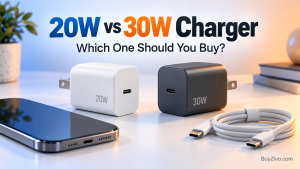
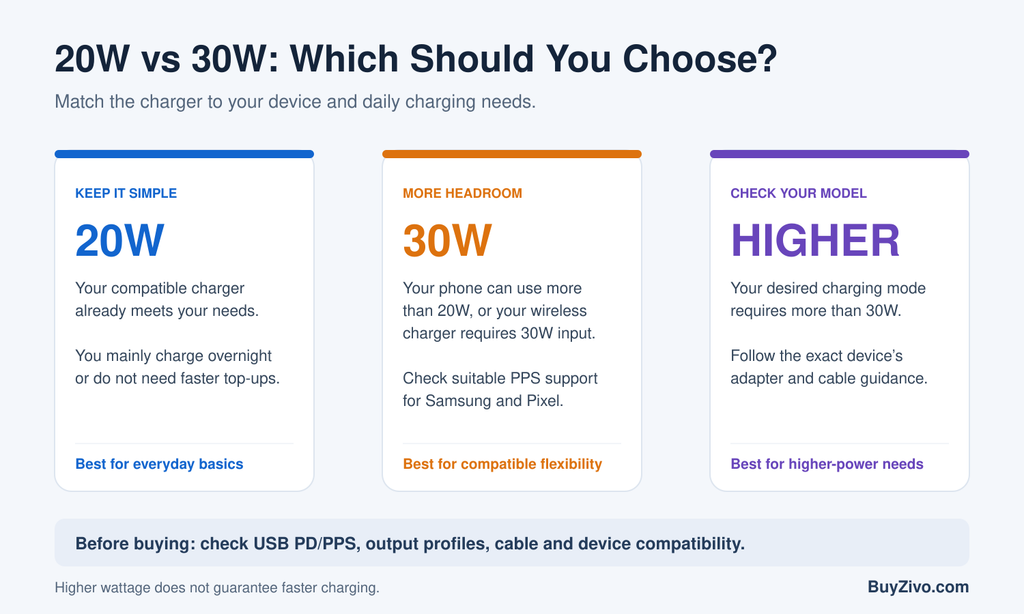
Choose a 20W USB-C PD charger if it meets your phone’s charging needs and you mainly charge overnight. Choose a 30W charger if your phone can use more than 20W, your wireless charger requires it, or you want more flexibility. For Samsung and Pixel phones, check PPS support before buying.
This guide compares new 20W and 30W purchases. The bigger number describes available power, but it does not tell you how much power your phone will accept. If you already own a working adapter, start with Should You Replace Your 20W Charger? before shopping.
A sensible purchase depends on your exact device, the charger’s supported output profiles, your cable, and whether you need quick daytime top-ups. You may already own a charger that does the job.
20W vs 30W Charger: The Main Differences
| Buying question | 20W charger | 30W charger |
|---|---|---|
| Maximum advertised output | Up to 20W | Up to 30W |
| Phone that accepts no more than 20W | Can meet its power ceiling with compatible profiles | Extra capacity may go unused |
| Phone that accepts over 20W | Can limit available charging power | May provide more power if protocols match |
| Samsung/Pixel compatibility | Check PD/PPS and exact model requirements | Check PD/PPS; 30W alone is insufficient |
| Wireless charging dock | Suitable only if its input requirements match | Useful when the dock specifies 30W input |
| Best reason to buy | Meets a specific need at a lower total cost | More headroom across compatible devices |
These are buying distinctions, not measured speed results. A table cannot predict the charging time of every phone.
What Charger Wattage Actually Means
Watts describe electrical power. A charger’s label usually lists several combinations of voltage and current; multiplying volts by amps gives the power available at that particular output.
For example, 9V × 2.22A is approximately 20W, while 15V × 2A is 30W. These are illustrative calculations, not a claim that every 20W or 30W charger offers those profiles.
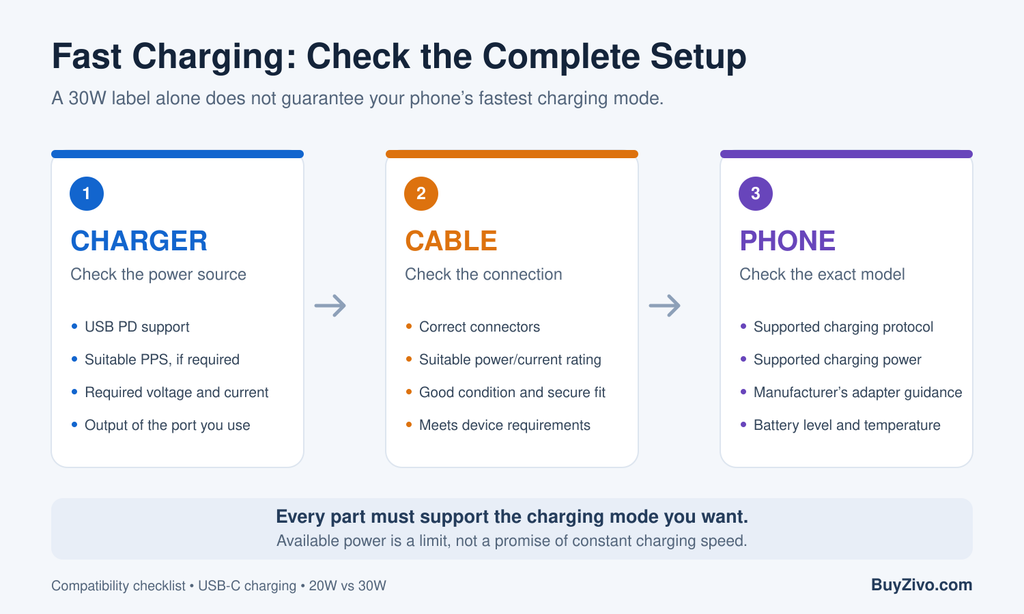
With USB Power Delivery, the device and power source negotiate power. USB-IF describes a system in which devices take the power they require, including lower-power accessories. A compatible 30W charger therefore does not automatically push 30W into every connected phone.
This also explains why “PD20W vs PD30W” is an incomplete product comparison. You need the supported profiles and features, not just the advertised ceiling. Two chargers with the same wattage can be different purchases for the same phone.
Is a 30W Charger 50% Faster Than a 20W Charger?
No. A 30W adapter has 50% more rated power capacity than a 20W adapter, but that does not establish a 50% charging-speed improvement.
To justify a speed claim, you would need results for the exact phone, chargers, cable and test conditions. We do not have those measurements here, so we do not assign a minutes-saved figure.
Samsung explains that charging current changes with remaining battery level and that maximum power is not maintained throughout charging. Temperature and device use can also reduce speed.
The practical question is whether your current charger limits the part of charging that matters to you. Someone who needs a quick boost before leaving home has a different priority from someone who plugs in at bedtime.
Do not replace a working adapter because a listing promises a percentage improvement without naming the phone and test method. Look for evidence that applies to your device.
Which Should You Buy for an iPhone?
When 20W makes sense
Apple’s guidance supports USB-PD adapters for fast charging on compatible earlier iPhones. Its current page also specifies 20W or higher for iPhone Air and iPhone 17e to reach around half charge in approximately 30 minutes under Apple’s conditions.
Our buying judgment: if a compatible 20W adapter already meets your daily routine, keep using it. There is little reason to replace it solely to change the number on the charger.
When to consider 30W—or more
For a new purchase, 30W may offer useful flexibility, particularly if you also power compatible accessories. However, Apple specifies 40W or higher for its approximately 20-minute half-charge claim on iPhone 17, 17 Pro and 17 Pro Max. Its iPhone 18 Pro guidance calls for a higher-capability AVS setup.
The buying lesson is to check the exact model. A 30W adapter can be a practical everyday choice without satisfying a manufacturer’s fastest advertised charging conditions.
Avoid blanket claims such as “all iPhones need only 20W” or “30W unlocks every iPhone’s maximum speed.” Neither is a dependable buying rule.
Which Should You Buy for a Samsung Galaxy?
For a Galaxy phone whose supported mode is 25W Super Fast Charging, look for an adapter explicitly compatible with that mode. Samsung says USB PD PPS support matters; high output alone does not guarantee Super Fast Charging.
A suitable 30W PPS adapter is therefore worth considering over a generic 20W model for that use. This is a compatibility recommendation, not a claim that every 30W PPS charger performs identically.
Before buying, confirm the specific Galaxy model, the advertised Samsung charging support and the charger’s PPS range. A vague “fast charge” description is not enough information to make a reliable choice.
If your Galaxy supports a higher-power charging mode and maximum speed is your goal, compare adapters that meet that mode’s requirements. Neither 20W nor 30W should be presented as a universal solution.
For the next power range, see Best 45W USB-C Chargers for Samsung.
Which Should You Buy for a Google Pixel?
Google’s charging guidance lists PPS adapters rated at 30W or more and other USB-PD adapters rated at 15W or more among compatible options. It also notes that charging speed depends on the cable and adapter.
For a new Pixel-focused purchase, our preference is a 30W-or-higher PPS model that matches the phone’s specifications. A compatible 20W PD adapter may still be useful, but it offers less rated headroom.
Do not assume 30W is sufficient for the maximum speed of every Pixel. Check the official hardware specifications for your exact model before choosing between 30W and a higher-power charger.
If you already own a working adapter, consider your actual inconvenience. Does the phone recharge in time for your routine? If so, an upgrade can wait. If short top-ups are frustrating, investigate the charger’s compatibility before spending money.
Wireless Charging Can Change the Decision
When powering a wireless charger, match the wall adapter to the wireless charger’s input requirements. The phone’s wireless charging wattage is not automatically the adapter wattage you need.
Apple specifies a 30W-or-higher adapter with a 15V/2A-or-higher output for up to 25W MagSafe charging on listed compatible combinations. Actual power depends on the phone, MagSafe charger and conditions.
That creates a clear reason to choose 30W even when your wired charging routine does not require an upgrade. Conversely, do not buy 30W merely because a dock has a magnetic ring or claims fast wireless charging. Read its input specification first.
For non-Apple wireless pads and multi-device stations, follow the manufacturer’s adapter requirements. Avoid assuming every Qi2 charger needs the same supply.
See Best Wireless Charger for the separate wireless buying decision.
Do You Need a Different Cable for 30W?
For ordinary USB-C-to-USB-C charging within a cable’s rated voltage and current limits, a compliant 60W cable provides enough power capacity for a 20W or 30W adapter. USB-IF documents 60W cable capability at 20V and 3A.
A 240W cable will not make a 30W power source supply 240W. Buy a higher-rated cable when another device or charging setup needs it, rather than treating the larger rating as a speed upgrade for every phone.
Also check the connector at the phone end. A cable with the wrong connector is not useful, regardless of its power rating. Keep charging capability separate from data-transfer requirements when comparing listings.
Before replacing the adapter, inspect your existing cable for damage or an unreliable connection. Changing wattage will not resolve every charging problem.
See Best USB-C Cables for Fast Charging for cable selection.
How to Compare Two Chargers Before Buying
Start with the specifications rather than the promotional headline.
- Identify the exact device. Find its official adapter recommendation and supported charging mode.
- Check USB PD and PPS. Choose the protocol your device needs; do not infer PPS from “PD” alone.
- Read the output profiles. Confirm that the required voltage and current are available.
- Check each port. On a multi-port model, distinguish total output from what one port provides.
- Check simultaneous output. Look for the manufacturer’s power allocation when more than one device is connected.
- Compare total cost. Include a suitable cable, local plug type and any required adapter.
If a seller does not provide enough detail, choose a listing with clearer documentation. Saving a small amount is less useful if you cannot establish compatibility.
You can also prefer a single-port charger when you only charge one phone. Additional ports are useful when you need them, but the overall wattage does not explain every possible port combination.
Is 20W Safer or Better for Battery Health?
You cannot judge charger safety from a 20W or 30W label. Power rating and evidence of product quality are different things.
Our buying advice is to use a properly specified charger from an accountable manufacturer and seller, with clear compatibility information and applicable safety documentation. Do not treat “PD,” “GaN,” or “fast charging” as proof of independent electrical-safety testing.
USB-IF certification addresses USB compliance. It should not be described as a substitute for every applicable mains-safety assessment.
There is also no basis in this comparison for promising that switching from 30W to 20W will extend your battery life by a particular amount. Choose compatible equipment, follow your phone’s charging guidance and address abnormal heat or damaged accessories instead of relying on wattage folklore.
See Fast Charger Safety: Certifications and Features to Check for the distinction between charging standards and safety claims.
Who Should Choose Each One?
Choose 20W when it matches your device, costs meaningfully less, and meets your charging schedule. It is also sensible to keep an existing compatible 20W adapter rather than replace it without a specific benefit.

Choose 30W when your device can benefit from the additional output, your wireless charger requires it, or one adapter needs to cover several compatible uses. For Samsung and Pixel, prioritize suitable PPS support.
Choose a higher rating when your exact device’s desired charging mode requires it. If you also want to charge a laptop or several devices, make that a separate buying decision.
See Best 30W USB-C Chargers for product choices, or 45W vs 65W Charger: Which Is Better? for the next wattage comparison.
Frequently Asked Questions
Can I use a 30W charger with a phone that needs less power?
Yes, when the charger, cable and phone are compatible. USB-PD negotiates power; the adapter’s rating describes available capacity. Extra capacity alone does not force the phone to take it.
Will a 30W charger always outperform a 20W charger?
No. If the phone cannot use the additional output, or the charging protocols do not match, the larger rating may offer no useful improvement. Check compatibility before paying more.
Should I replace my existing 20W charger?
Only when you can identify a benefit: improved compatibility, more useful output, a wireless charger’s input requirement, or a better fit for your routine. A functioning adapter does not need replacing simply because a higher-rated model exists.
Does a 30W wall charger deliver 30W wirelessly?
No. Its rating is the power available to the wireless charger. The wireless charger’s output and the phone’s supported mode are separate limits. Match the complete setup rather than copying one wattage number.
Final Verdict
Keep a compatible 20W charger if it meets your needs. When buying new, choose 30W PD with appropriate PPS support if your devices can use the extra capability and the price difference is modest.
Spend more for a defined benefit. The best charger is the one that supports your device and charging routine.
Sources & Verification Notes
Official sources used:
- USB-IF — USB Charger / USB Power Delivery
- Samsung — Enable Fast Charging and Fast Wireless Charging
- Apple — Fast Charge Your iPhone
- Google — Charge Your Pixel Phone
- Apple — How to Use Your MagSafe Charger
- USB-IF — Cables and Connectors
Verification date: October 7, 2026.