Introduction
Shopping for a USB-C charger should be simple. Yet two chargers can advertise the same 45W or 65W output and still charge your phone at different speeds.
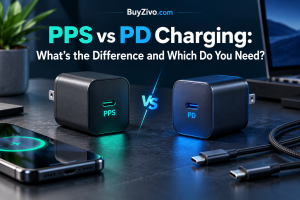
One reason is the difference between USB pps vs pd.
USB PD is a charging standard that allows compatible devices and chargers to negotiate power. PPS is an optional feature within USB PD that lets a compatible device request more precise adjustments to voltage and current during charging.
For many iPhone and laptop users, a suitable USB PD charger is all they need. For Samsung Galaxy phones that support Super Fast Charging, and certain Google Pixel phones, PPS compatibility can make a meaningful difference.
The important question isn’t simply whether PPS is better than PD. It’s whether your device can use it.
What Is USB Power Delivery (PD)?
USB Power Delivery is a standardized way for compatible USB devices to negotiate electrical power over a USB connection.
Instead of a charger simply delivering its maximum advertised wattage, the charger communicates its supported power capabilities, and the connected device requests an appropriate operating mode.
For example, a USB PD charger might offer fixed output profiles such as:
- 5V at 3A — 15W
- 9V at 3A — 27W
- 15V at 3A — 45W
- 20V at 3.25A — 65W
These are illustrative profiles, not a universal requirement for every 65W charger.
A connected device selects a supported profile according to its charging requirements. A 20W phone won’t automatically draw 65W just because the adapter is rated for 65W.
USB PD is widely used across phones, tablets, laptops and other USB-C equipment. The standard also supports higher power levels, including up to 240W under USB PD Extended Power Range, when the entire charging setup is compatible.
USB-IF documents these capabilities in its official USB Power Delivery specifications.
Why USB PD matters
The main advantage is interoperability.
A compatible USB PD charger can potentially power several types of devices without requiring a completely different proprietary adapter for each one.
That doesn’t mean every PD charger provides the fastest possible charging for every device. Power profiles, device limits and optional charging features still matter.
What Is PPS Charging?
PPS stands for Programmable Power Supply.
It is an optional feature of USB Power Delivery that allows a compatible device to request adjustable power output rather than relying only on fixed voltage profiles.
With conventional fixed-profile PD operation, the device selects from the charger’s advertised voltage options.
With PPS, the device can request smaller voltage adjustments within a supported range as its charging requirements change.
Consider Google’s official 30W USB-C charger. Its specifications include fixed PD outputs alongside programmable PPS capabilities. That distinction is a practical example of how both charging modes can exist in the same adapter.
How PPS works
Simplified charging behavior
Fixed USB PDSelection among advertised fixed-voltage profiles
USB PD with PPSMore granular voltage requests within a supported range
Conceptual illustration only. Actual PPS operation uses negotiated increments and does not necessarily follow a smooth curve.
This additional control can help compatible devices manage charging more efficiently.
However, PPS does not automatically guarantee faster charging or lower battery temperatures. Those outcomes depend on the device’s charging architecture, power requirements, battery condition and thermal management.
PPS vs PD: Key Differences
| Feature | USB PD (fixed profiles) | USB PD with PPS |
|---|---|---|
| Charging method | Selects advertised fixed-voltage profiles | Adds adjustable voltage operation |
| Voltage control | Fixed negotiated levels | Fine-grained adjustments within supported ranges |
| Device support | Broad USB PD compatibility | Requires PPS support in charger and device |
| Samsung Super Fast Charging | May not provide the intended mode | Relevant to compatible Galaxy devices |
| iPhone charging | Supports Apple’s specified fast-charging requirements | Not required by Apple’s published fast-charge guidance |
| Laptop charging | Commonly used | Usually not necessary for conventional laptop PD charging |
| Buying priority | Correct power and profiles | Correct power, profiles and PPS range |
The takeaway: PPS extends USB PD. It does not replace it.
A charger supporting PPS can still provide ordinary USB PD charging to devices that don’t use PPS, provided the appropriate fixed profiles are available.
Is PPS Faster Than Regular USB PD?
Sometimes, but not simply because the charger has PPS.
Charging speed is influenced by several factors:
- The maximum charging power supported by the device.
- Whether the charger supports the required power negotiation method.
- Whether the charger offers the necessary voltage and current range.
- Cable capability and connection quality.
- Battery temperature, charge level and device power-management behavior.
A phone designed for a particular PPS charging mode may charge more slowly when connected to a charger offering only conventional fixed PD profiles.
On the other hand, an iPhone that uses standard USB PD fast charging will not necessarily charge faster just because PPS is present.
Does PPS reduce heat?
PPS can allow a compatible phone to request a voltage better suited to its internal charging circuitry. In some designs, that may reduce the amount of voltage conversion needed inside the device.
But it would be misleading to promise that a PPS charger always runs cooler or protects a battery better.
Heat depends on the complete charging system, including the phone’s design, charging rate, environment and battery state.
The sensible buying decision is to follow the device manufacturer’s charging requirements rather than assuming that PPS alone delivers better battery health.
Do Samsung Galaxy Phones Need PPS?
For Samsung Galaxy owners, PPS is particularly important.
Samsung’s Super Fast Charging ecosystem uses compatible USB PD chargers with PPS capabilities. Its official charger documentation distinguishes between conventional PD output profiles and PPS output ranges.
For example, Samsung lists the EP-T2510 25W adapter with PPS output capabilities, while its higher-output adapters offer different PPS ranges and supported Super Fast Charging modes.
Samsung 25W vs 45W charging
A Galaxy phone that supports only a 25W charging mode will not automatically charge at 45W when connected to a 45W adapter.
Likewise, a Galaxy model supporting a higher charging mode needs a compatible charger and cable configuration to use it.
A 45W charger may be useful for future devices, but the printed wattage alone is not enough to confirm compatibility.
Why a 65W laptop charger might not deliver Samsung’s fastest charging
Imagine you own a 65W USB-C laptop charger.
It supports USB PD and works perfectly with your laptop. You connect a compatible Galaxy phone, expecting maximum Super Fast Charging.
However, the adapter either lacks PPS or does not advertise the PPS voltage/current range required by that phone.
The result may be ordinary fast charging instead of the phone’s highest supported charging mode.
This is why buyers should inspect the detailed output specifications rather than relying only on the wattage printed on the charger.
What to look for
Check for the following before purchasing a charger for a Galaxy device:
- Explicit USB PD PPS support.
- A PPS output range compatible with your Galaxy model.
- Sufficient output power and current for the desired charging mode.
- A suitable USB-C cable.
- Any port-specific restrictions on multi-port adapters.
Samsung’s charging requirements vary by device generation and model, so consult its specifications for your exact phone.
Do Google Pixel Phones Need PPS?
PPS can also matter for Google Pixel charging.
Google’s official charging guidance identifies PPS power adapters as a recommended option and separately acknowledges ordinary USB PD adapters.
For example, Google lists PPS adapters rated at 30W or more and other USB PD adapters rated at 15W or more among supported charging options.
That distinction matters: a compatible ordinary PD charger may still charge a Pixel, but it might not provide the best charging performance available to that model.
Google also publishes detailed fixed PD and PPS output specifications for its chargers.
Its 67W dual-port adapter, for example, advertises separate PPS and fixed PD capabilities, along with different output limits depending on whether one or two ports are in use.
For Pixel owners, the practical recommendation is to check the exact model’s charging requirements and select a compatible PPS charger if maximum wired charging performance is the goal.
Do iPhones Need PPS?
For ordinary wired fast charging, Apple specifies USB Power Delivery compatibility rather than PPS as a requirement.
Apple‘s official guidance supports compatible USB-C power adapters with USB PD for fast charging.
The appropriate adapter wattage depends on the iPhone model. For example, Apple documents higher adapter requirements for achieving its advertised fast-charge results on certain newer models.
Should iPhone users avoid PPS chargers?
No.
A quality USB PD charger that also supports PPS can be an excellent choice for an iPhone, particularly if you share it with Samsung, Pixel or other USB-C devices.
The iPhone can use an appropriate standard PD mode without needing to use PPS.
However, paying substantially more solely for PPS is difficult to justify when charging only an iPhone.
Prioritize the correct USB PD output, adequate wattage, a suitable cable and reliable manufacturer documentation.
Do Laptops Need PPS?
Most conventional USB-C laptop charging decisions are based on USB PD compatibility, required wattage and cable capability.
For example, a laptop designed for 65W USB PD charging may need a charger that offers the appropriate 20V power profile.
A PPS label does not compensate for a missing fixed PD profile required by the laptop.
Likewise, a 45W charger cannot be assumed to provide full performance for a laptop whose manufacturer specifies a 65W or higher adapter.
Some newer equipment may support additional adjustable-voltage features, but PPS should not be treated as a universal laptop requirement.
For laptops, match the manufacturer’s power specifications first.
Related reading: 45W vs 65W Charger: Which Is Better? and 65W vs 100W Charger: Which Should You Choose?.
How to Tell Whether a Charger Supports PPS
Not every charger clearly advertises its programmable output capabilities on the front of the packaging.
The most useful information is often in the technical specifications.
Step 1: Look for PPS in the specification sheet
Search for terms such as:
- USB PD PPS
- Programmable Power Supply
- PPS output
- PD 3.0 PPS
The presence of PD 3.0 or PD 3.1 alone is not proof that a particular charger implements PPS.
Step 2: Examine the output ranges
A PPS-capable charger may advertise an output specification similar to:
PPS: 3.3–11V ⎓ 3A
This describes an adjustable voltage range with a stated current limit.
Other chargers may provide additional PPS ranges with different current limits.
For a specific phone, verify that the advertised range matches its requirements.
Step 3: Check the relevant USB-C port
A multi-port charger may support different capabilities on different ports.
For instance, its first USB-C port might offer a higher PPS output than its second port.
Some adapters also reduce the available power when multiple devices are connected.
Do not assume every USB-C port has identical charging capabilities.
Step 4: Check the manufacturer’s documentation
A manufacturer’s published specifications are generally more useful than a marketplace listing that simply says “fast charger.”
Look for exact voltage and current figures, supported charging protocols and any cable requirements.
Step 5: Verify certification claims
USB-IF certification is distinct from a manufacturer’s statement that a product is compatible with USB PD.
A manufacturer can advertise protocol support without that automatically establishing USB-IF certification.
When certification is an important purchasing factor, look for independently verifiable certification information rather than relying on a vague logo or unsupported claim.
Does the USB-C Cable Matter for PPS?
Yes, although not every PPS setup needs an expensive or unusually high-rated cable.
The cable must support the current required by the negotiated charging mode.
For conventional USB-C power delivery, a compliant 3A cable can carry up to 60W at 20V. Higher-current operation, such as 5A, requires an appropriately rated and electronically marked cable.
However, there is an important distinction between total wattage and current.
A phone requesting 45W at a relatively low voltage may need more current than a 3A cable can carry, even though 45W is below 60W.
That is one reason some charging configurations have historically required a 5A cable for their highest supported mode.
Samsung‘s current guidance also documents model-dependent cable requirements, so an older blanket rule that every 45W Galaxy phone requires a 5A cable would be inaccurate.
For a deeper explanation of cable selection, see Best USB-C Cables for Fast Charging.
Common PPS and PD Charging Mistakes
Mistake 1: Assuming more watts always means faster charging
A 100W charger will not necessarily charge a 25W phone faster than a compatible 30W charger.
The device determines how much power it can accept, subject to the capabilities of the charger and cable.
Mistake 2: Assuming every PD charger supports PPS
PPS is optional.
Check the specifications before buying a charger specifically for a PPS-dependent charging mode.
Mistake 3: Ignoring voltage and current ranges
A charger can advertise PPS without offering the exact range needed for a device’s maximum charging mode.
Matching the supported PPS range matters more than simply finding the PPS label.
Mistake 4: Assuming every cable supports every charging mode
USB-C describes the connector, not a guarantee of every power capability.
Choose a cable rated for the current and power required by your setup.
Mistake 5: Assuming charging speed stays constant
Phones generally adjust charging power throughout a charging session.
Battery charge level, temperature, device activity and internal charging controls can all change the actual power delivered.
PPS vs PD: Which Should You Buy?
Choose USB PD with PPS if:
You own a PPS-compatible Galaxy or Pixel phone, regularly charge different brands of devices, or want broader charging flexibility without sacrificing ordinary PD compatibility.
Choose a conventional USB PD charger if:
You primarily charge an iPhone or a laptop that doesn’t require PPS, and the adapter already provides the correct fixed PD profiles and wattage.
Best choice for a Samsung Galaxy owner
Choose a charger explicitly compatible with your Galaxy model’s supported Super Fast Charging mode.
Look beyond total wattage to the PPS output ranges and cable requirements.
Best choice for an iPhone owner
Choose a reliable USB PD charger with adequate output for your specific iPhone.
PPS is a useful extra feature, but it is not a requirement in Apple’s published wired fast-charging guidance.
Best choice for a laptop owner
Prioritize the required USB PD power profile, sufficient wattage and cable rating.
PPS is secondary unless the laptop manufacturer specifically identifies it as necessary.
Best choice for a mixed-device household
A well-specified multi-port USB PD charger with PPS is often the most flexible option.
Check individual port capabilities and power sharing before purchasing.
For suitable models, read BuyZivo’s Best Multi-Port USB-C Chargers for Home and Travel
Frequently Asked Questions
Is PPS better than USB PD?
PPS provides more adjustable power control, but it is an optional part of USB PD rather than a replacement. It is particularly useful when a device requires PPS for its fastest supported charging mode.
Can I use a PPS charger with an iPhone?
Yes, provided the charger also offers a suitable standard USB PD output. Apple’s published wired fast-charging requirements do not make PPS mandatory.
Can I use a regular PD charger with a Samsung phone?
Generally, a compatible USB PD charger can charge a Samsung phone, but it may not activate the highest supported Super Fast Charging mode without the required PPS capabilities.
Does PPS require a special USB-C cable?
Not inherently. The cable must support the negotiated current and power. Some higher-current charging modes require a suitably rated 5A cable, while others work with a compliant 3A cable.
Is PPS the same as GaN?
No. PPS is a charging-control capability within USB PD. GaN refers to gallium nitride, a semiconductor material used in some power electronics. A GaN charger does not automatically support PPS.
Does a 65W charger always support PPS?
No. Wattage and protocol support are separate specifications. A 65W charger may offer fixed USB PD outputs without PPS.
Does PPS improve battery lifespan?
PPS can help compatible devices control their charging input more precisely, but it does not guarantee longer battery lifespan. Battery temperature, charging behavior and device-level battery management also matter.
Final Verdict
For most buyers, the best choice is not PD versus PPS. It’s a USB PD charger with the features their devices actually support.
If you use a Samsung Galaxy phone with Super Fast Charging or a Pixel model that benefits from PPS, a compatible PPS charger deserves priority.
If you use an iPhone or a conventional USB-C laptop, a properly specified USB PD charger may be entirely sufficient.
And if you’re buying one adapter for several devices, choosing USB PD with PPS offers additional flexibility—provided the charger has the right voltage, current and wattage capabilities.
Before purchasing, check the charger’s actual output specifications rather than relying on its advertised wattage alone.
For practical charger recommendations, explore BuyZivo’s Best 65W USB-C Chargers.