Introduction
Walk into any electronics store or browse an online marketplace, and you’ll quickly notice one thing: chargers now come with far more options than they did a few years ago.
Some offer a single USB-C port capable of delivering 100W or more. Others squeeze two, three, or even four USB ports into a surprisingly compact charger. Many promise fast charging for phones, tablets, laptops, earbuds, and other accessories.
So which one actually makes more sense?
The answer depends less on charging speed and more on how you use your devices every day.
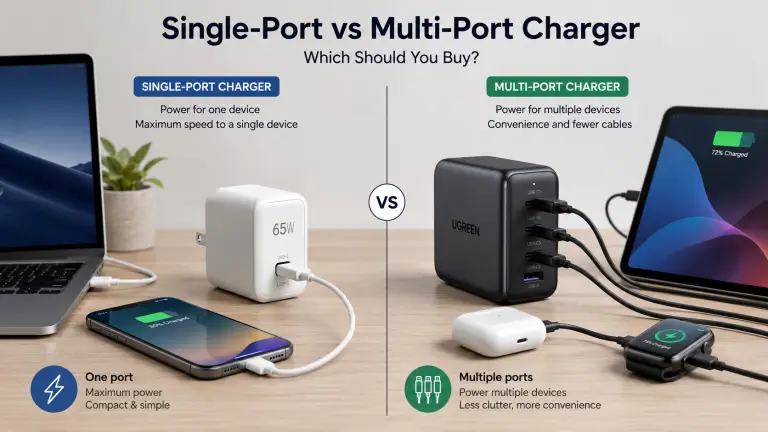
If you normally charge only one device at a time, a single-port charger may provide the simplest experience. If you regularly carry multiple devices, a multi-port charger can reduce cable clutter and eliminate the need to pack several charging bricks.
Modern USB Power Delivery (USB PD) chargers negotiate power with each connected device, while many multi-port models automatically redistribute available power when additional devices are plugged in. Exactly how that power is shared depends on the charger’s design and specifications.
In this guide, we’ll compare single-port vs multi-port charger designs, explain their strengths and limitations, and help you decide which option is the better investment for your everyday needs.
Quick Answer
If you’re in a hurry, here’s the short version.
If you… Choose… Usually charge one phone, tablet, or laptop Single-port charger Travel with multiple devices Multi-port charger Want the highest possible power from one USB-C port Single-port charger Prefer carrying only one charger Multi-port charger Need the simplest charging setup Single-port charger Frequently charge a phone, earbuds, smartwatch, and laptop together Multi-port charger Neither option is universally better. The right choice depends on your devices, charging habits, and travel needs.
What Is a Single-Port Charger?
A single-port charger has one output port, usually USB-C, although older models may include USB-A.
Because all available power is dedicated to one connected device, these chargers are often capable of delivering their maximum rated output without needing to divide power among multiple devices.
For example:
- A 30W charger can provide up to 30W to one compatible device.
- A 65W charger can power many laptops or quickly charge tablets.
- A 100W or 140W charger can support larger USB-C laptops that accept those power levels.
USB Power Delivery automatically negotiates an appropriate voltage and current between the charger and the connected device, helping deliver only the power the device requests rather than forcing the maximum output.
Advantages
- Full power available for one device
- Simple to use
- Often slightly smaller
- No power-sharing concerns
- Usually less expensive than similar-quality multi-port chargers
Limitations
- Charges only one device at a time
- Requires carrying additional chargers for multiple devices
- Can occupy more wall outlets if several chargers are needed
What Is a Multi-Port Charger?
A multi-port charger includes two or more charging ports. These may be:
- Dual USB-C
- USB-C + USB-A
- Three USB-C ports
- Multiple USB-C and USB-A combinations
Instead of packing separate chargers for every device, one charger can power several products simultaneously.
Modern multi-port chargers commonly use GaN (Gallium Nitride) technology, allowing manufacturers to produce smaller chargers with higher total power output and improved efficiency compared with many traditional silicon designs.
However, one important difference is that many multi-port chargers share their total available power across connected devices. For example, a charger rated at 100W total does not necessarily deliver 100W from every port at the same time. The exact distribution depends on the charger’s internal design and the manufacturer’s power allocation policy.
Some premium models intelligently prioritize certain ports or dynamically adjust power as devices are connected or disconnected.
Advantages
- Charge several devices at once
- Reduce cable and charger clutter
- Ideal for travel
- Save wall outlets
- Convenient for households with multiple USB-C devices
Limitations
- Total power is often shared
- Higher purchase price
- Power distribution varies by model
- Some chargers briefly renegotiate power when devices are added or removed, although newer premium designs increasingly minimize or avoid noticeable interruptions.
Single-Port vs Multi-Port Charger: Key Differences
Before comparing performance in detail, here’s a quick overview.
| Feature | Single-Port Charger | Multi-Port Charger |
|---|---|---|
| Number of devices | One | Two or more |
| Maximum output | Dedicated to one device | Shared or managed across ports |
| Best for | One primary device | Multiple daily devices |
| Travel convenience | Good | Excellent |
| Cable management | Moderate | Excellent |
| Cost | Usually lower | Usually higher |
| Flexibility | Limited | High |
| Best users | Minimalists, laptop users | Families, travelers, professionals |
One thing worth remembering is that more ports don’t automatically mean faster charging.
A quality 65W single-port charger may charge a compatible laptop faster than a lower-powered 65W multi-port charger that’s simultaneously charging several other devices. Always check the manufacturer’s published power allocation table instead of relying only on the total wattage printed on the charger.
Charging Speed: Which One Charges Faster?
At first glance, you might assume a multi-port charger is slower because it has to power several devices. In reality, the answer depends on how many devices are connected and how the charger distributes its available power.
If only one device is connected, many quality multi-port USB-C chargers can deliver the same maximum output as a comparable single-port charger through their primary USB-C port. However, this varies by model. Always check the manufacturer’s specifications rather than assuming every port supports the charger’s full advertised wattage.
Once additional devices are plugged in, many multi-port chargers automatically redistribute power among their ports using predefined or dynamic allocation profiles.
Example Scenario
Imagine a 100W charger.
Single-port charger
- Laptop: up to 100W (if supported)
100W multi-port charger
With only the laptop connected:
- Laptop: up to 100W (on supported models)
After connecting a smartphone:
- Laptop: around 65W
- Phone: around 30W
The exact power split depends on the charger’s design. Some chargers may allocate 67W + 30W, while others use different combinations. Check the manufacturer’s published power allocation chart before buying.
Winner:
- Single device: Tie (depending on the charger’s specifications)
- Multiple devices: Multi-port charger
Power Sharing Explained
One of the biggest differences between these chargers is power sharing.
A single-port charger doesn’t need to divide its output. Whatever power it can provide is available to the connected device, subject to the device’s own charging limits.
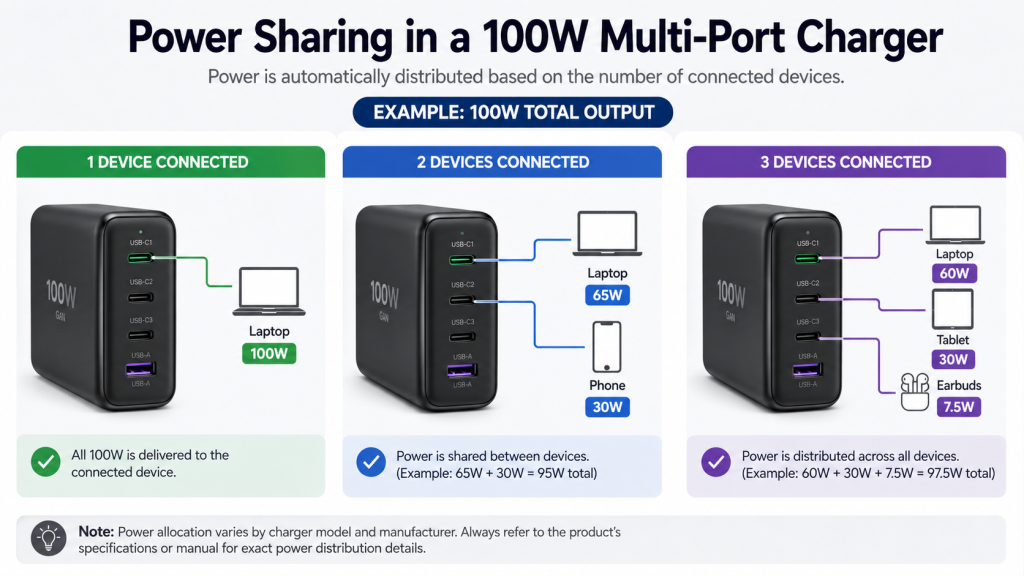
A multi-port charger, however, has a fixed total power budget. When several devices are connected, that budget is divided among the active ports.
For example:
| Charger Rating | Connected Devices | Possible Allocation* |
|---|---|---|
| 65W | Laptop | 65W |
| 65W | Laptop + Phone | 45W + 20W |
| 100W | Laptop + Tablet | 65W + 35W |
| 140W | Laptop + Phone + Earbuds | 100W + 30W + remaining power |
*Illustrative examples only. Actual allocations vary by manufacturer.
Some premium GaN chargers dynamically adjust power based on each connected device’s requirements, while others follow fixed allocation rules printed in the product manual.
Another behavior worth knowing is USB Power Delivery renegotiation. On some chargers, plugging in or unplugging another device briefly interrupts charging while the charger and connected devices negotiate a new power allocation. Many newer chargers have reduced or eliminated noticeable interruptions, but behavior still varies by model.
Winner:
- Single-port charger for consistent full-power output
- Multi-port charger for charging several devices at once
Portability and Travel
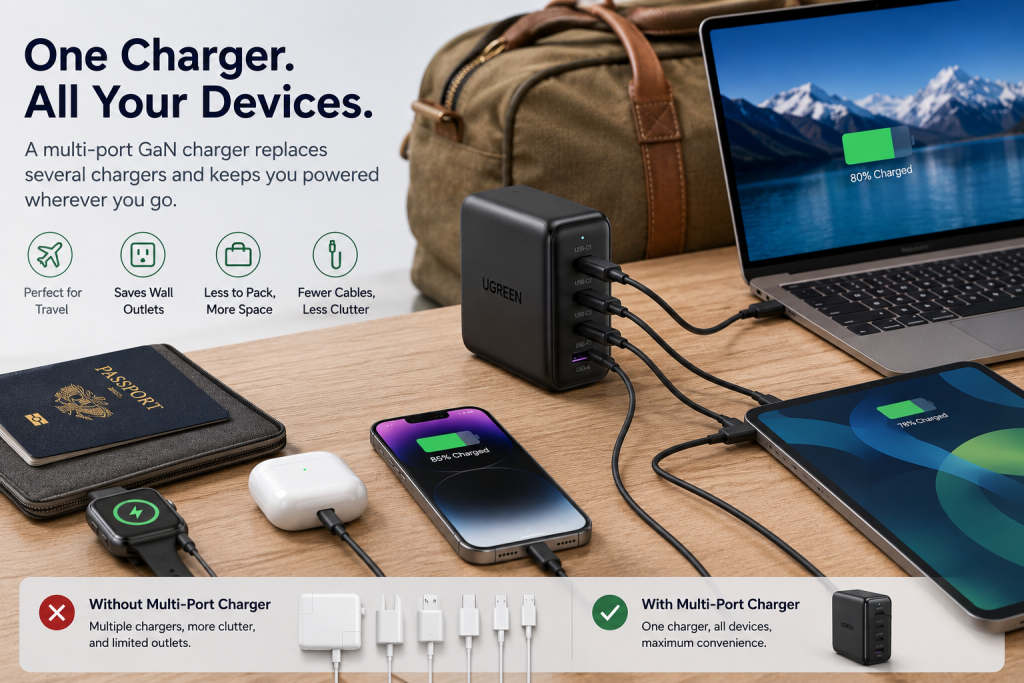
Travel is where multi-port chargers often shine.
Instead of packing:
- One laptop charger
- One phone charger
- One smartwatch charger
- One earbuds charger
You may only need:
- One compact GaN charger
- The appropriate charging cables
Modern GaN technology allows manufacturers to build chargers that are smaller than many older silicon-based chargers while still supporting higher power outputs.
That said, the smallest charger is still usually a single-port model.
Single-Port Charger for Travel
Pros
- Extremely compact
- Lightweight
- Simple to pack
- Great for short trips
Cons
- May require multiple chargers
- Uses more wall outlets
- More cables and adapters
Multi-Port Charger for Travel
Pros
- One charger replaces several
- Better hotel room organization
- Ideal for airports and cafes
- Fewer chargers to remember
Cons
- Slightly larger
- Usually more expensive
- If the charger fails, all your charging depends on one device
Winner: Multi-port charger
Size and Portability
Many people assume that adding more ports always means a much larger charger.
That was often true years ago, but GaN technology has narrowed the gap.
For example:
- A 65W single-port GaN charger can be remarkably compact.
- A modern 65W dual-port GaN charger is often only slightly larger.
- Higher-capacity 100W or 140W multi-port chargers naturally require a larger housing because they contain additional circuitry and must manage more heat.
If you prioritize the smallest possible charger for everyday carry, a single-port model still has an edge. If you want to replace several chargers with one, a multi-port charger is usually the better trade-off.
Winner:
- Smallest size: Single-port charger
- Best overall portability: Multi-port charger
Cost and Overall Value
Price is another important factor.
Generally speaking:
- Single-port chargers are usually less expensive.
- Multi-port chargers cost more because they include additional ports, more complex power management, and often higher total output.
However, looking only at the purchase price can be misleading.
Consider these two scenarios.
Option A
Buy:
- Laptop charger
- Phone charger
- Tablet charger
Three separate chargers.
Option B
Buy:
- One high-quality 100W multi-port charger
Depending on the brands and power ratings, one charger may replace several without significantly increasing your overall spending.
Keep in mind that prices change frequently, so it’s best to check current pricing before making a purchase rather than relying on published figures.
Winner:
- Lowest upfront cost: Single-port charger
- Better long-term convenience: Multi-port charger
Safety and Reliability
Whether a charger has one port or several, quality matters far more than the number of ports.
A well-designed charger should include protections against:
- Overcurrent
- Overvoltage
- Overheating
- Short circuits
USB Power Delivery also includes communication between the charger and the connected device, allowing them to negotiate an appropriate charging profile instead of forcing maximum power. This helps improve compatibility and supports safer charging when implemented correctly.
When shopping, look for products from reputable manufacturers that clearly state compliance with applicable safety standards and certifications. Independent certification marks can provide additional confidence, but certification requirements vary by region.
Avoid extremely cheap chargers with vague specifications or missing safety information.
Winner: Tie
A high-quality single-port charger is generally as safe as a high-quality multi-port charger. Safety depends on design, components, testing, and manufacturer transparency—not simply the number of ports.
Device Compatibility
Both charger types can work with a wide range of modern electronics, including:
- Smartphones
- Tablets
- USB-C laptops
- Wireless earbuds
- Smartwatches
- Power banks
- Portable gaming devices
- Many USB-C cameras and accessories
The key is to ensure that:
- The charger supports the charging standard your device requires (such as USB Power Delivery).
- The available wattage meets your device’s needs.
- You’re using a suitable USB-C cable, especially for higher power levels.
For example:
- A smartphone that supports 30W charging doesn’t benefit from a 100W output if the phone itself is limited to 30W.
- A laptop that requires around 65W may charge slowly if it receives only 30W because a multi-port charger is sharing power with other devices.
Always verify both your device’s charging requirements and the charger’s per-port power capabilities before purchasing.
Choose a Single-Port Charger If…
A single-port charger is likely the better choice if you:
- Usually charge one device at a time.
- Want the highest available power delivered to a single device.
- Prefer the smallest possible charger.
- Mostly carry one laptop or one phone.
- Want a lower-cost charging solution.
- Don’t mind carrying an extra charger when needed.
Essager 45W USB-A Charger
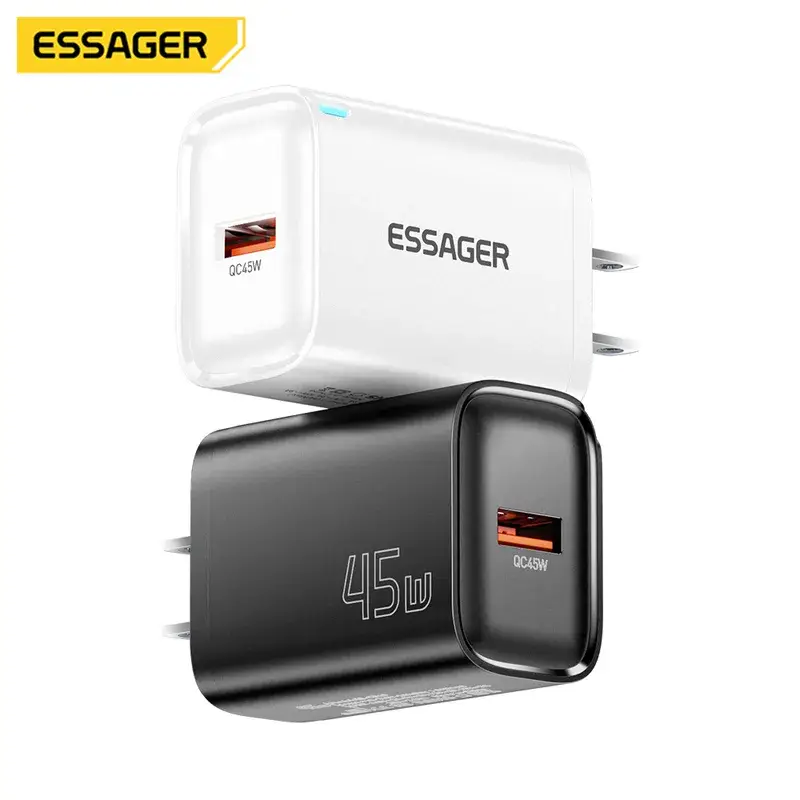
Super Fast Charging USB Wall Charger for Travel and Phone Flash
Choose a Multi-Port Charger If…
A multi-port charger makes more sense if you:
- Regularly travel with multiple devices.
- Carry a laptop, phone, earbuds, and smartwatch together.
- Want to reduce cable and charger clutter.
- Share chargers with family members or coworkers.
- Prefer using a single wall outlet for several devices.
- Want a versatile charger for work, home, and travel.
Baseus 65W GaN Charger
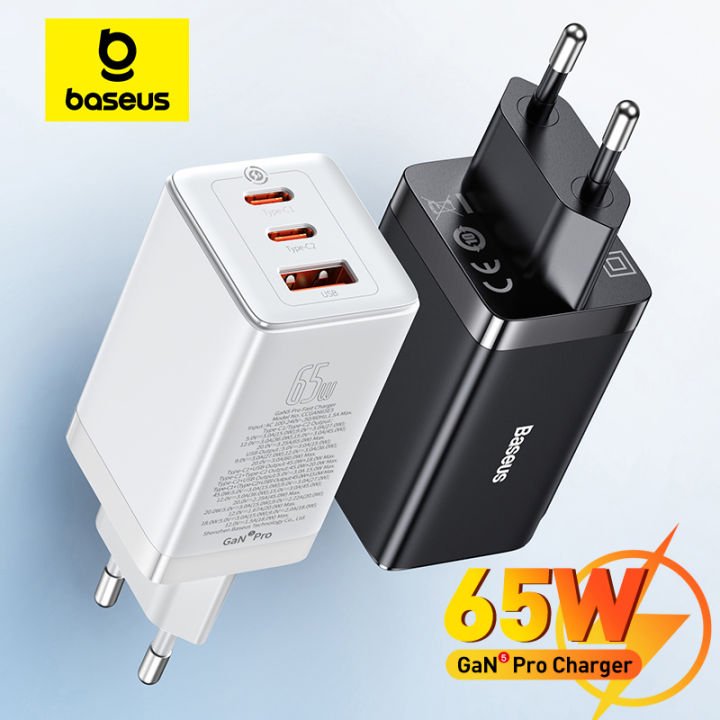
Quick Charge Type C PD QC Charger USB Charger Portable Fast Charger For Laptop iPhone 17 16 15 14 13 Pro
Common Buying Mistakes
Before choosing between a single-port and multi-port charger, avoid these common mistakes:
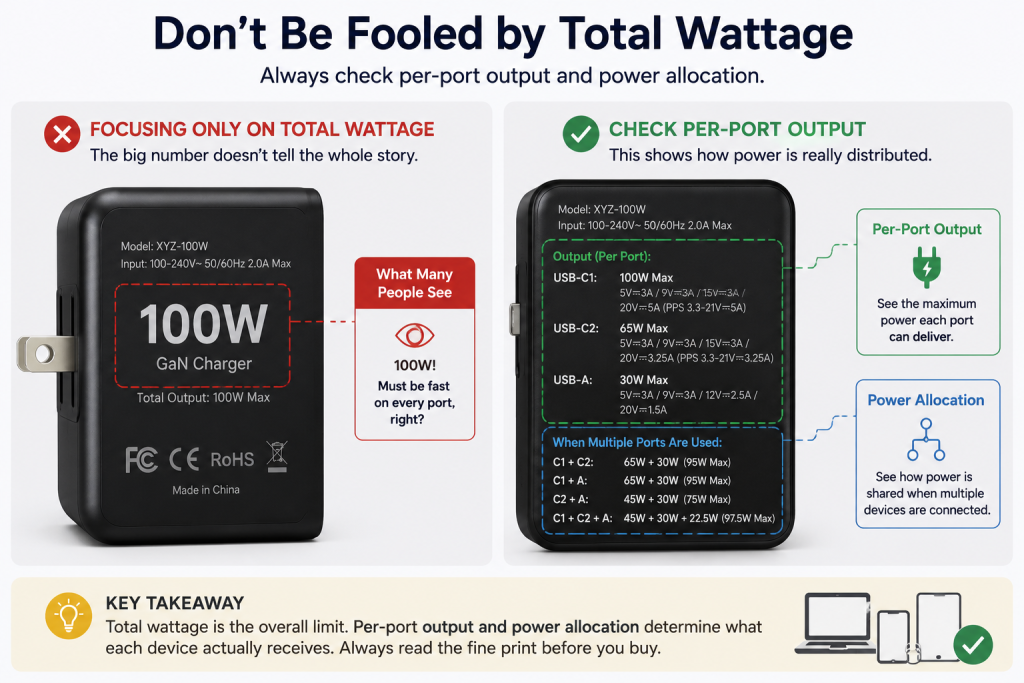
Buying Based Only on Total Wattage
A charger labeled 100W doesn’t necessarily provide 100W from every port simultaneously. Review the manufacturer’s power allocation table to understand how output is divided when multiple devices are connected.
Ignoring Per-Port Specifications
Not every USB-C or USB-A port supports the same charging speed. Some ports may offer significantly lower maximum output than others.
Using Low-Quality Cables
Even the best charger can’t perform well with an unsuitable cable. For high-power charging, use cables that support the required wattage and data standards.
Choosing Unknown Brands Solely for Price
Ultra-cheap chargers may lack clear safety information, reliable performance, or long-term durability. Established manufacturers with transparent specifications are generally a safer choice.
Buying More Power Than You Need
If you only charge one smartphone overnight, a large 140W multi-port charger may be unnecessary. Matching the charger’s capabilities to your actual devices can save money and reduce bulk.
Final Recommendation: Which Charger Should You Buy?
There isn’t a universal winner in the single-port vs multi-port charger comparison because the best choice depends on how and where you charge your devices.
If you typically charge only one device, a single-port charger is often the simplest and most cost-effective option. It delivers dedicated power to one device, is usually smaller, and can be easier to carry every day.
If you regularly use a laptop, smartphone, tablet, earbuds, or smartwatch together, a multi-port charger can make life more convenient by reducing the number of chargers and wall outlets you need.
Here’s a quick summary:
| User Type | Recommended Choice | Why |
|---|---|---|
| Phone-only users | Single-port charger | Simple, compact, and affordable |
| Laptop users | Single-port or dual-port charger | Dedicated power with room for occasional phone charging |
| Frequent travelers | Multi-port charger | Charge several devices from one outlet |
| Remote workers | Multi-port charger | Keeps your desk organized |
| Families | Multi-port charger | Multiple devices can charge simultaneously |
| Minimalists | Single-port charger | Smallest and lightest option |
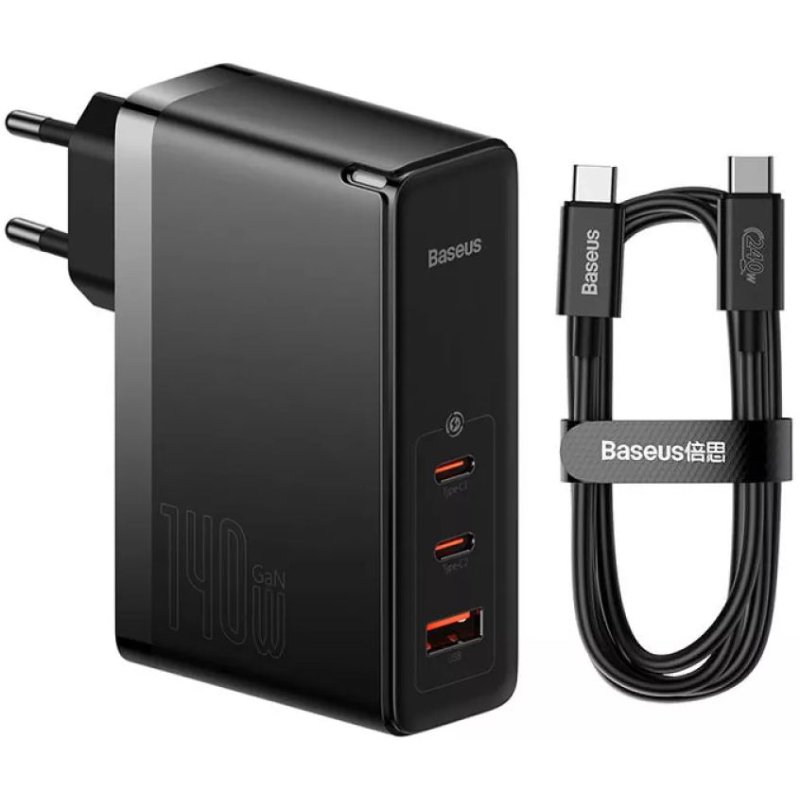
Baseus 140W GaN Charger
1000W GaN Charger USB-C Fast
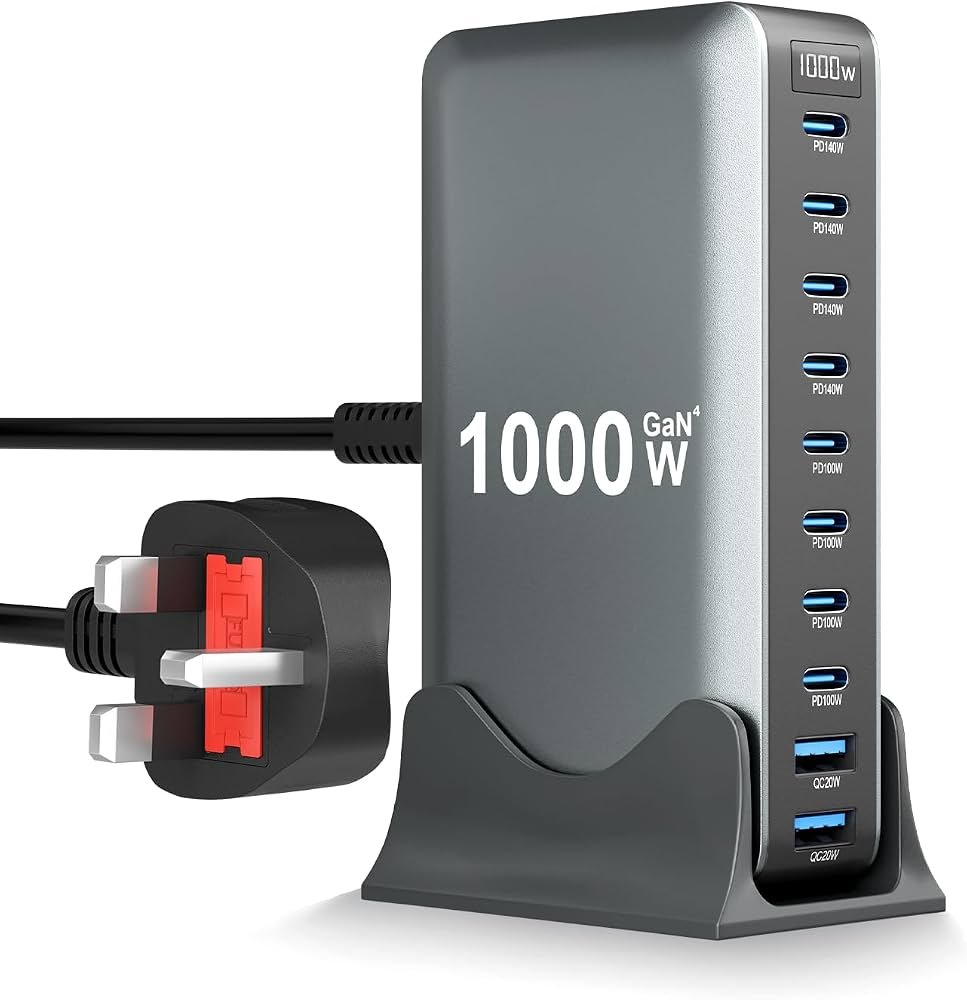
If you’re buying a multi-port charger, don’t focus only on the total wattage. Check:
- Maximum output per port
- Power-sharing behavior
- USB Power Delivery (USB PD) support
- Compatibility with your laptop or phone
- Safety certifications and warranty
- Manufacturer’s published power allocation table
Those details will have a bigger impact on your daily experience than simply choosing the charger with the highest advertised wattage.
Frequently Asked Questions
Is a multi-port charger slower than a single-port charger?
Not necessarily.
If only one compatible device is connected, many quality multi-port chargers can deliver the same maximum output as a comparable single-port charger through their primary USB-C port. When additional devices are connected, however, available power is often shared according to the charger’s design.
Can I charge a laptop and phone at the same time?
Yes, provided the charger has enough total output and supports the required charging standards.
For example, a 100W or 140W USB-C charger may be able to charge a compatible laptop and smartphone simultaneously. Always check the manufacturer’s published power allocation chart to confirm how power is distributed across the ports.
Does having more ports reduce charging efficiency?
Adding more ports does not automatically make a charger less efficient. Efficiency depends on the charger’s internal design, components, and operating conditions. A well-designed multi-port GaN charger can remain highly efficient while charging several devices, though exact performance varies by model and load.
Are GaN chargers better?
GaN (Gallium Nitride) technology allows manufacturers to build chargers that are smaller while handling higher power levels than many traditional silicon-based designs. It doesn’t guarantee better quality on its own, but it has enabled more compact and powerful chargers in recent years.
Can I use a 100W charger for a phone?
Yes.
USB Power Delivery allows compatible devices and chargers to negotiate the appropriate power level. A phone that only supports 30W, for example, will request only the power it can safely use rather than drawing the charger’s full 100W capacity.
Is a USB-A port still worth having?
It depends on your accessories.
Many modern smartphones, tablets, and laptops have moved to USB-C, but USB-A ports remain useful for older cables, accessories, and legacy devices. If you still use USB-A peripherals, a charger with both USB-C and USB-A ports can offer added flexibility.
Conclusion
Choosing between a single-port vs multi-port charger comes down to your charging habits rather than a simple “better or worse” decision.
A single-port charger is ideal if you value simplicity, portability, and dedicated power for one device. It’s a great fit for users who mainly charge a smartphone or laptop and don’t need to power multiple gadgets at the same time.
A multi-port charger, on the other hand, is the more versatile choice for people who carry several devices or travel frequently. One charger can replace multiple charging bricks, reduce clutter, and make it easier to keep all your devices powered from a single outlet.
Before you buy, compare more than just the advertised wattage. Check the number of ports, per-port power output, USB Power Delivery support, power-sharing behavior, cable requirements, and compatibility with your devices. Spending a few extra minutes reviewing those details can help you choose a charger that better fits your everyday needs.